







One dashboard that replaces five apps: tasks, calories, gym, money and sleep. You update it by typing or speaking to a Telegram bot.
All projects
Case study
Altus
Full-Stack Developer · Jun – Aug 2026
A career-focused online learning website for India. 38 public pages, an admin panel, and a backend built with FastAPI and PostgreSQL.
- Pages Rendered
- 38
- REST Endpoints
- 55
- Database Tables
- 12
Project overview
Home
Altus is a website for career courses in India. I built 24 page files that produce 38 public pages (a course finder, 9 courses, 3 bootcamps, 6 mentors and 6 articles), an admin panel for prices and settings, and a FastAPI and PostgreSQL backend to replace the old fixed data. The lessons themselves run on another company's learning system. This site handles marketing, the course list, inquiries and admin work.
- Project type
- Full-stack website build
- My role
- Full-Stack Developer
- Timeline
- Jun – Aug 2026
- Live site
- altuseducation.in
- Catalog
- 9 courses in the code (6 are live, 3 wait on an unmerged branch), 3 bootcamps, 6 mentors, 6 articles
- Lessons
- Run on a separate learning platform (Learnyst), not on this site
Tools Used
Technologies, platforms, and tools used to design, develop, and deliver this project.
The challenge
Altus sells career courses in India. The site has to show the courses clearly, turn a visit into an inquiry, and let the team change prices without touching code. The lessons themselves are somewhere else.
The website
- A course finder, then a full page for each course, bootcamp, mentor and article.
- Every course page needs a real weekly curriculum, the tools taught and the outcomes, not filler text.
- Prices differ by how a student learns (self-paced or live), and the team has to be able to change them.
- A brochure exists for only some courses, so each page must work with or without one.
The business
- Lessons run on Learnyst, another company's learning platform. Students get their login from the Altus team, so this site has no student accounts.
- The goal is an inquiry, so the Enroll buttons lead to the contact page, and each message is saved and emailed to the team.
- The courses are being rebuilt one subject at a time from the company's own curriculum brochures.
- A visit has to turn into an inquiry, not an online enrollment.
The build
- The first version used fixed data in the code. A real backend and database had to replace it without breaking the site if the server is down.
- The backend runs on a free host that goes to sleep after 15 idle minutes, so the first request can take about 30 seconds.
- Two deploy targets, the site on Vercel and the backend on Render, that must stay in step.
- If the backend is asleep or down, the site still has to work.
What I wanted to improve
- Show 9 real courses, each with a weekly curriculum, a brochure where one exists, and its price.
- Let an admin change prices and switch a course on or off.
- Save every inquiry and email it to the team.
- Make every course, mentor and article easy for search engines to read.
Design Lifecycle · Step 1 of 3
Structuring the course journey
Three menus and two buttons hold the whole site. A visitor can reach any course in two clicks, and every path ends at one of two places: a pricing card or the contact page.
The public site, 38 pages
What changed
- The header has three menus: Programs (a panel that lists all nine courses), Bootcamp (three bootcamps) and Company (About, Careers, Contact).
- Two buttons are always in the header: Contact Us and Enroll Now. Both lead to the contact page, because the goal is an inquiry.
- A search box in the header sends the visitor to the course finder with the search already filled in.
- The footer repeats the five course categories, the resources and the four legal pages, so nothing important is only in a menu.
- The admin pages have no link from the public site and use their own layout, with no banner, header or footer.
How a visitor moves through it
- Home
- Programs
- A course page
- Choose your learning mode
- Register, or Contact
Design Lifecycle · Step 2 of 3
A white page with one indigo accent
A white page with indigo as the main accent, one dark panel at the top of the home and course pages, and a few strongly colored buttons. These are the values defined in the project's stylesheet.
Design goals
- Feel trustworthy and modern for people choosing a career course.
- Make the next step obvious: every page has one main button.
- Keep header, footer and content on one grid.
- Work the same on a phone and on a laptop.
Typography
Sora, for headings
A geometric display face with weights from 100 to 800, used for page titles, card titles and every button. Stored in the project, so it loads without a call to Google.
Inter, for body text
A plain, readable face with weights from 100 to 900, used for descriptions, lists, menus and form text. Also stored in the project.
Colors
Indigo
#4F46E5
Links, icons, small labels and the main accent
Blue
#2563EB
The Enroll Now and Register buttons, and focus rings
Lime
#A3E635
The search button, Explore Programs, and the highlighted Live price card
Cyan
#00E5FF
The far end of the top banner gradient
Ink
#0F172A
Headings, body text and the dark secondary button
Muted gray
#64748B
Secondary text
Light gray
#F1F5F9
Section backgrounds
Border
#E5E7EB
The 1px edge of cards and dividers
Brand gradient
One or two highlighted words in a heading, such as “Get in Touch”
Design principles
One gutter for everything
The header, the footer and every page's content share one side margin: 16 pixels on a phone, 24 on a tablet and 80 on a laptop. Wrapping a block in a second margin pushed content out of line with the menu, so the rule is to never do that.
Four buttons, four jobs
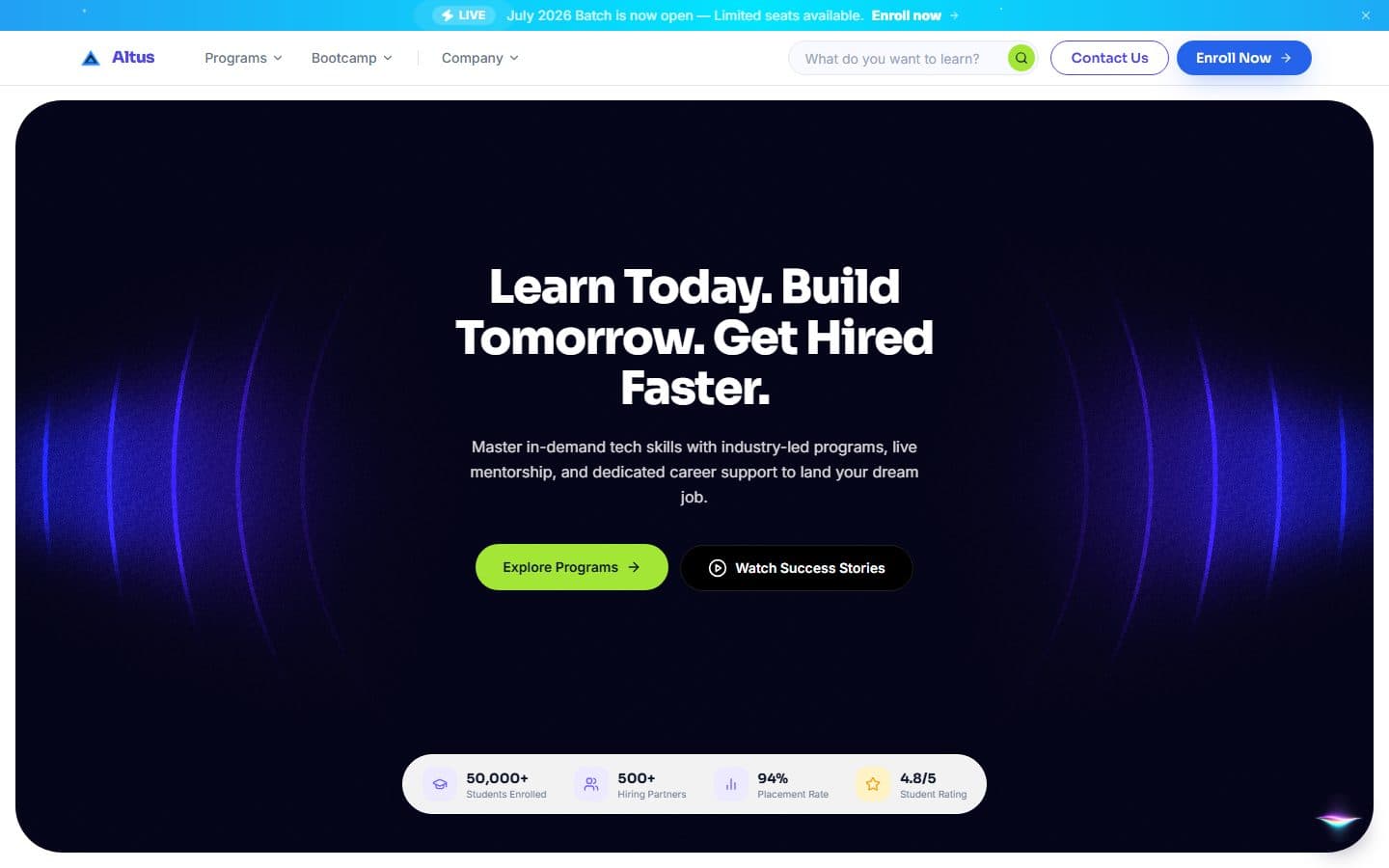
Blue means enroll. Lime means browse or choose. A black pill is the quiet second choice, and an outlined pill is Contact Us. A visitor learns what a color does once and it holds on every page.
A dark panel for the headline
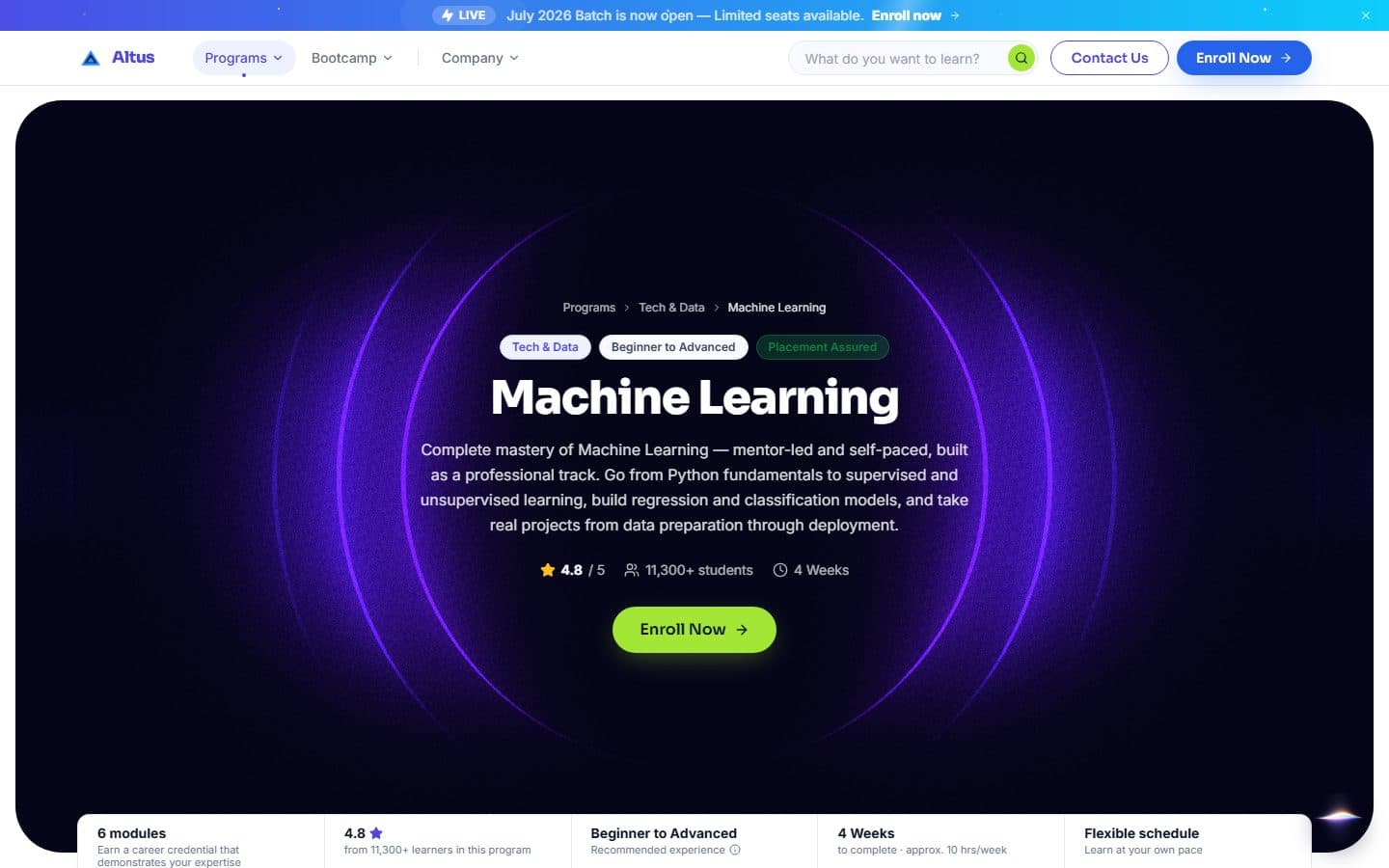
The home page and each course page open with a rounded dark panel and a slow ring effect behind the title. Everything below it is white, so the page has one place to look first.
Cards that answer a hover
A card is white with a 1px light edge and a soft shadow. On hover it lifts a few pixels and its edge turns light indigo. Mentor cards are links as a whole, so the whole card is the target.
Switches that stay in their box
Every on/off control is a 44 by 24 pixel track with a round white knob that slides inside it. It is blue when on and gray when off.
Empty states that point somewhere
When a list is empty, a small icon tile, a title, a line of text and a button tell the visitor what to do next.
Motion with a reason
Sections ease in as they scroll into view, menus open and close with a short animation, and the loops use the browser's graphics chip. Animation is switched off for visitors who ask their device for less motion.
Values are read from the project's stylesheet and brain file. I did not make a separate brand guide, and there are no wireframes or research for this project, so those sections are not on this page.
Design Lifecycle · Step 3 of 3
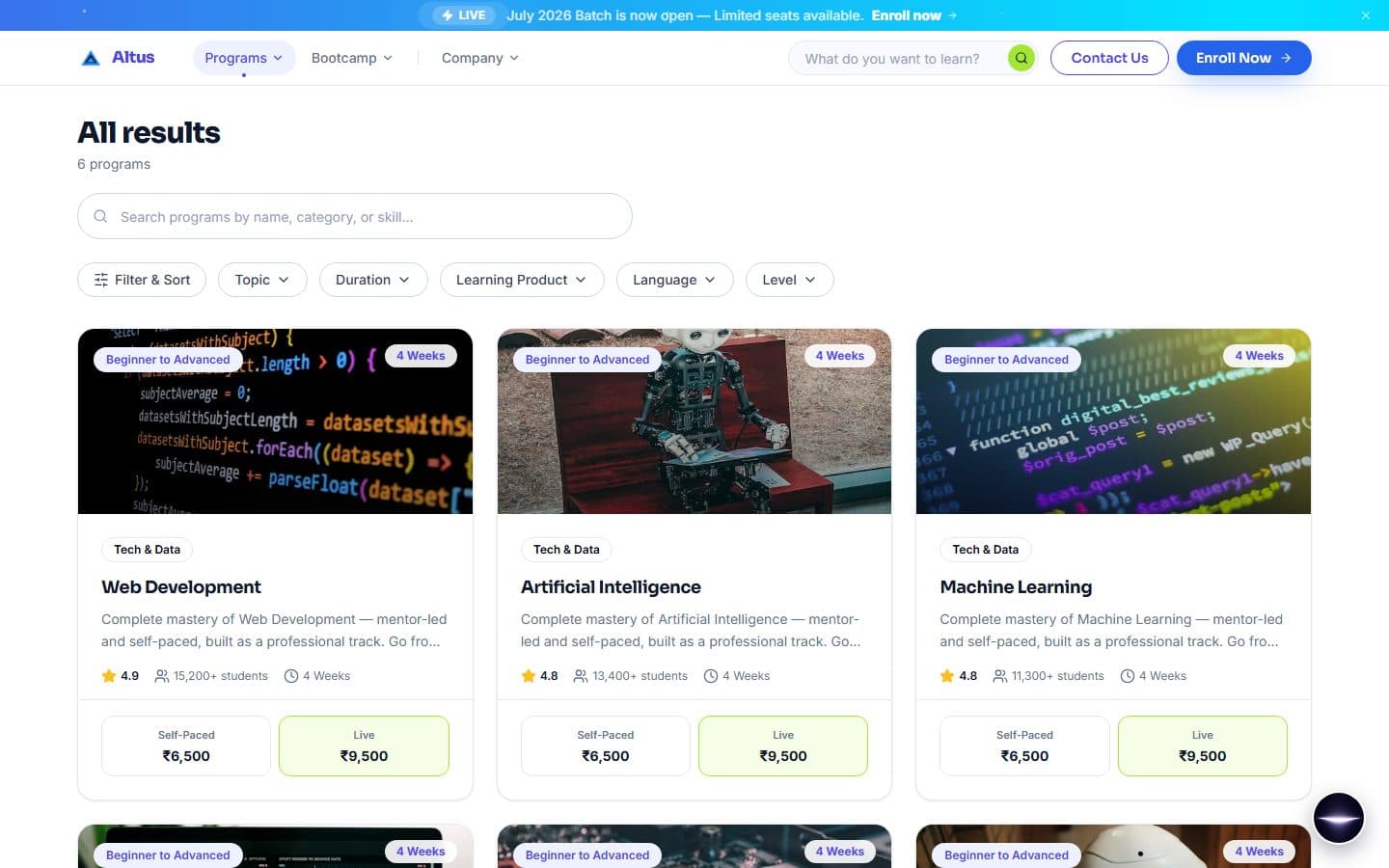
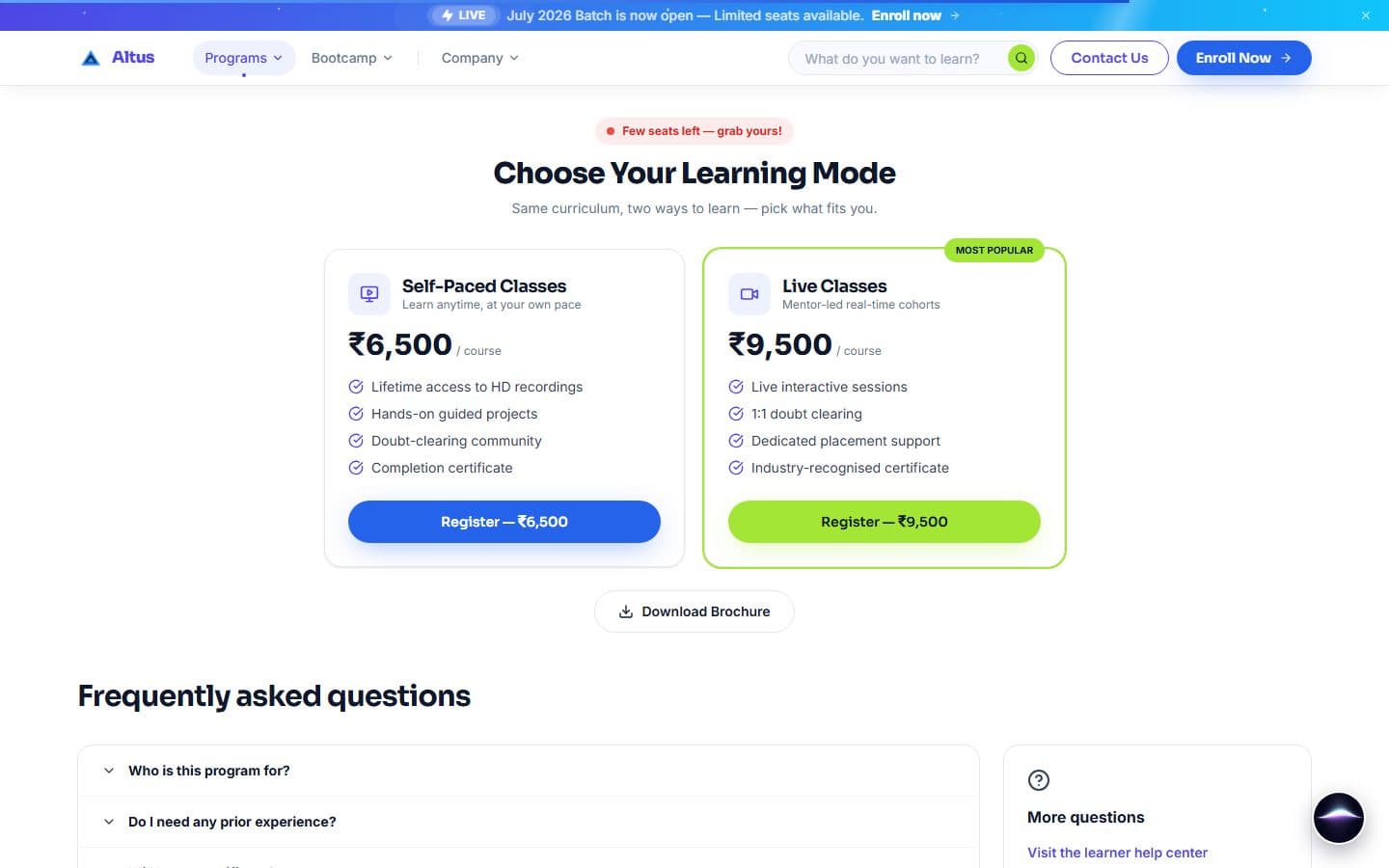
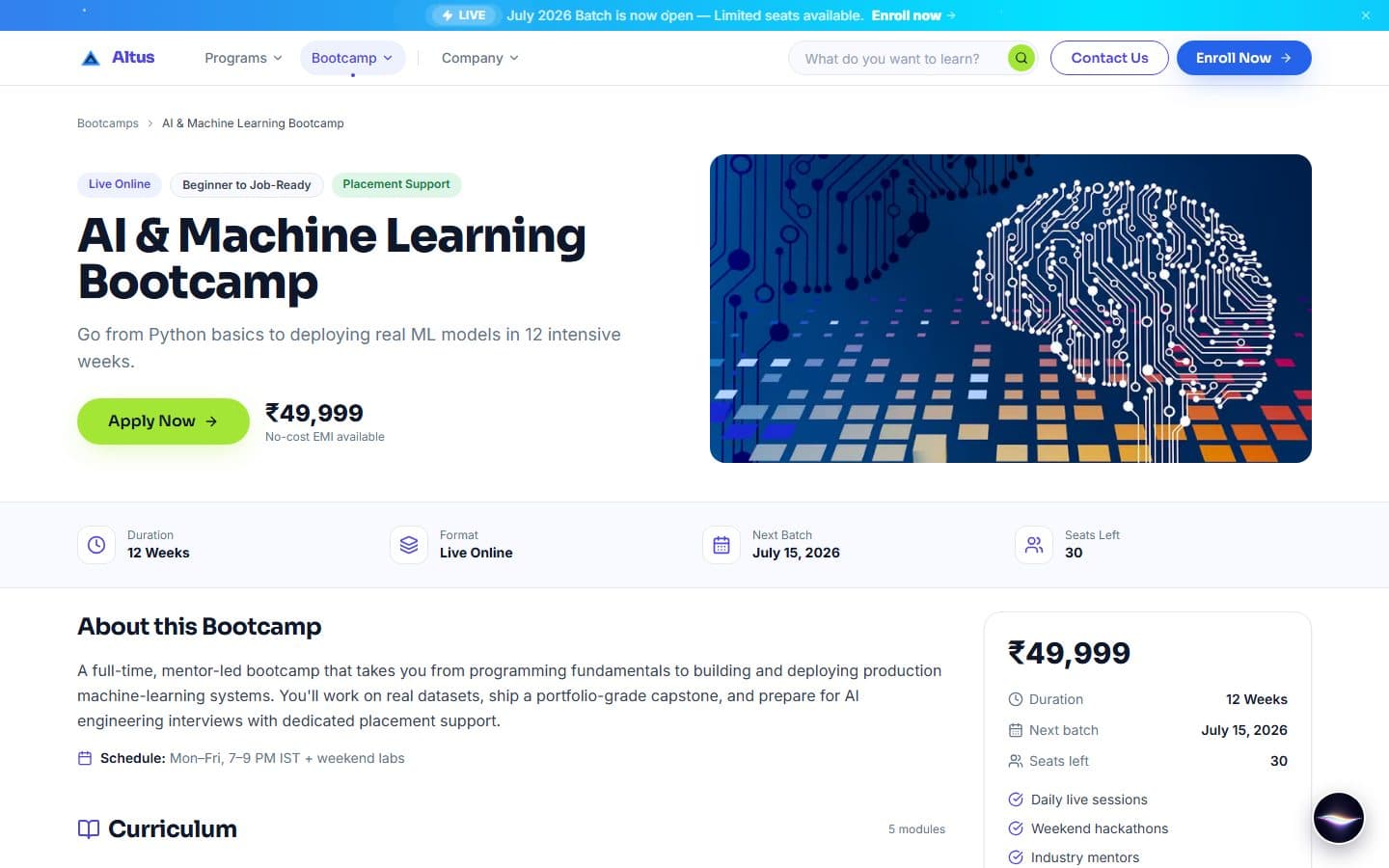
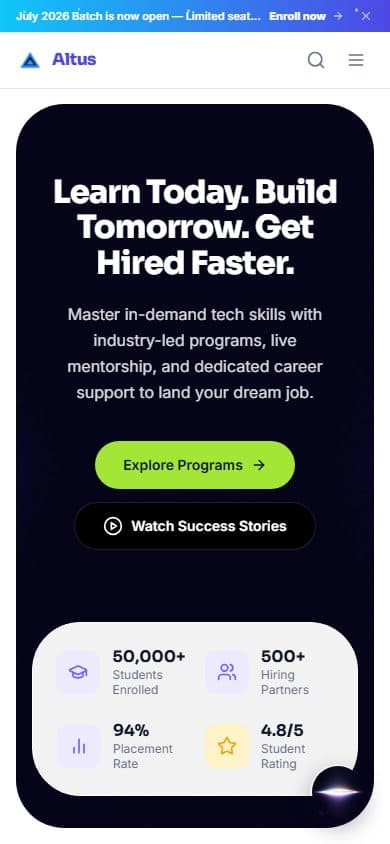
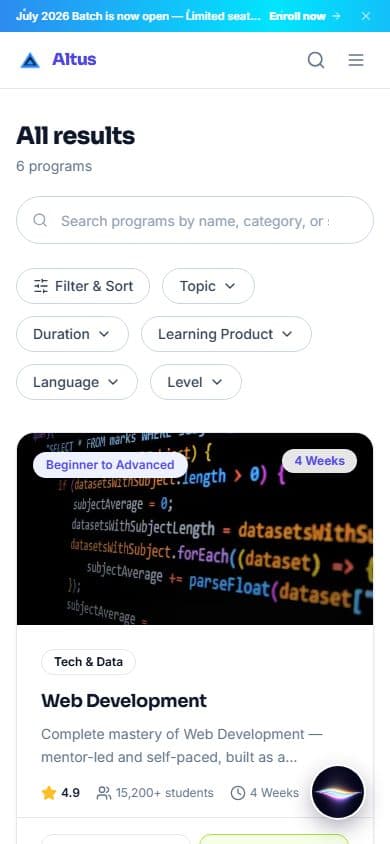
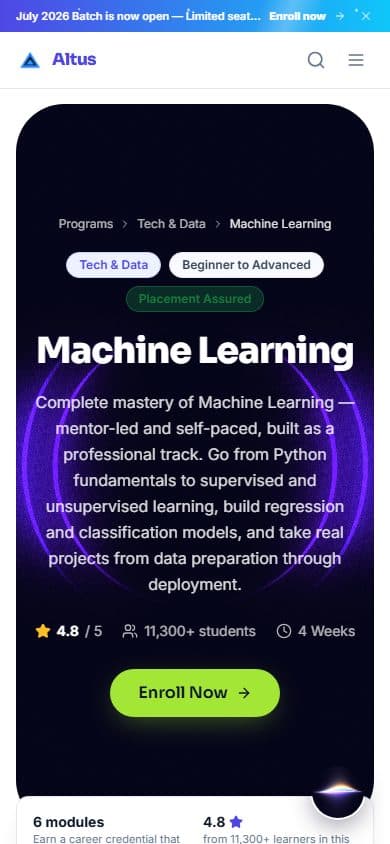
The finished screens on laptop and phone
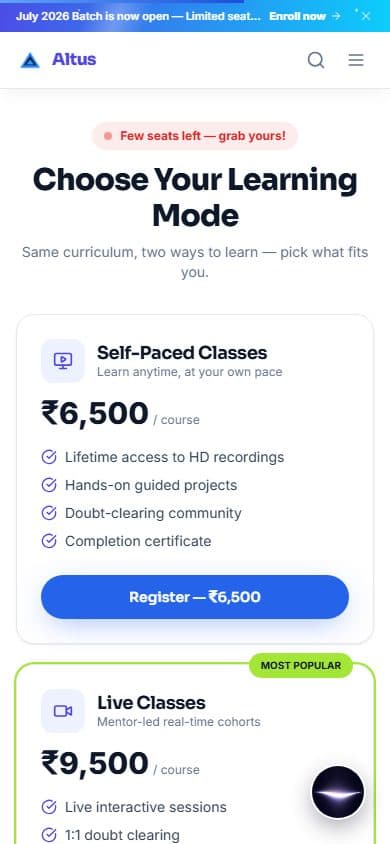
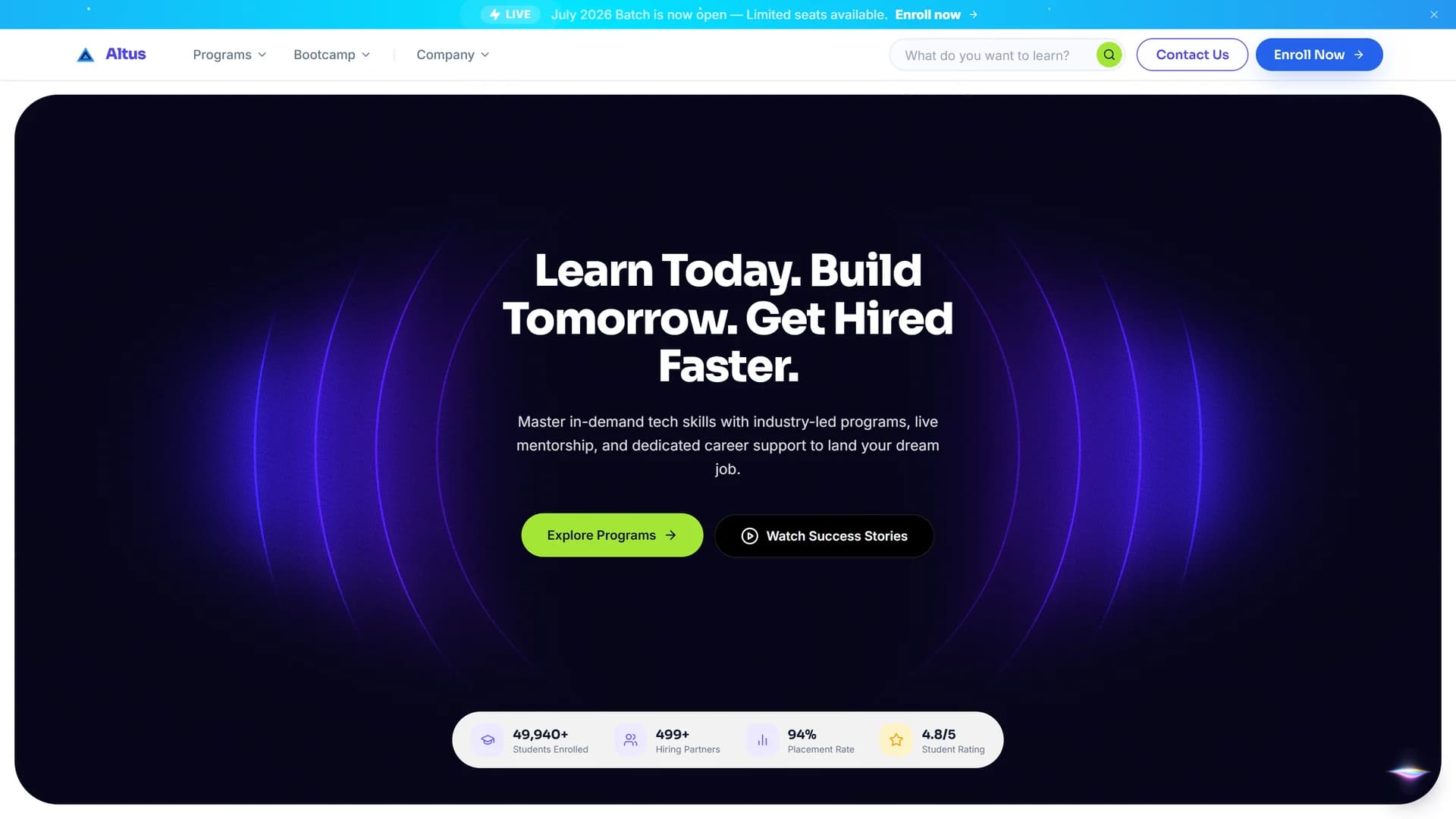
Real screens from the live site, captured on 2026-10-04 at laptop and phone widths. The live site still lists six courses, because the last three are not merged yet.
Laptop
Phone
Components
Header
A fixed white bar. Programs opens a panel with all nine courses, Bootcamp and Company open short lists, and the search box and the two buttons stay on the right. On a phone it becomes a search icon and a menu button.
Course card
A photo with a level tag and a duration tag, a category chip, the title, two lines of description, rating, students and weeks, then two price buttons side by side. Self-Paced is outlined, and Live has the lime tint. Each button jumps to the pricing section of that course.
Announcement banner
A thin gradient bar above the header with a LIVE tag, one line and a link. An admin can switch it on or off and change its text from the settings page, and a visitor can close it.
Course header strip
A white strip that overlaps the bottom of the dark panel: modules, rating, level, weeks and schedule, each with a one-line note.
Price card
An icon tile, the mode name and a one-line promise, the price in large type, four ticks, then the button. The Live card has a lime border and a Most Popular tag.
Frontend Development Lifecycle · Step 1 of 9
Planning a site that works without its backend
The brief became three engineering questions: what has to run on a server, what can be built ahead of time, and what must keep working when the server is asleep. These are the decisions that answered them.
No student accounts, so no learner login
Lessons run on another company's platform, so the student pages (login, dashboard, certificates, learning) were taken out of this site and archived in a separate private repository. What stays is the public site and a small admin panel.
An admin panel with three jobs
An admin can set a course price, switch a course on or off and change a few site settings. Course text, mentors and articles are edited in the code, so the panel stays small.
Swap saved data for the API, step by step
The plan listed every static data import and the API call that would replace it: lists that refresh on a timer, detail pages built from the API at build time, and the admin panel calling the API from the browser. So far the five home sections and the contact form have made the switch (see the Integration step).
The order the backend was built in
- API and database setup
- Models and migrations
- Seed from the saved data
- Admin login
- Public routes
- Admin routes
- Leads: save and email
- Wire the front end
- Deploy to Render and Vercel
Frontend Development Lifecycle · Step 2 of 9
Architecture: a Next.js front end and a FastAPI backend
A Next.js site for the front end and a FastAPI backend with a PostgreSQL database behind it. The detail pages are built ahead of time from typed data files, and the backend fills in live data on top.
38
Pages in the sitemap
24
Page files
55
API endpoints
12
Database tables
Front end
Next.js 15 (App Router) with React 19, strict TypeScript, Tailwind CSS 3 and ShadCN UI parts built on Radix. Framer Motion handles entrances and menus, Lucide is the only icon set, and the Sora and Inter fonts are stored in the project, so no font is fetched from Google. A decorative WebGL ring effect loads only in the browser, so it stays out of the first page load.
Pages built ahead of time
Every course, bootcamp, mentor and article page is generated at build time from a typed data file, so each one is plain HTML a search engine can read. The data files also give a lookup by slug, which the build and the pages share. An unknown address returns a proper 404.
Backend
FastAPI with async SQLAlchemy 2.0 on PostgreSQL, Alembic migrations, Pydantic v2 checks on every request, and a JWT login for the admin that lasts 24 hours. Contact messages are emailed through Resend, and payments go through Razorpay.
Frontend Development Lifecycle · Step 3 of 9
Real code from the front end and the backend
Real excerpts from the project, copied straight from the files. Each one is here because it shows a decision, not because it is long. Passwords, keys and the payment settings are left out.
The backend routers, the models and the course data files are much longer than these excerpts.
Frontend Development Lifecycle · Step 4 of 9
Building the course finder, course pages and admin panel
Course finder
Filter by topic, duration and level, sort by popularity, rating or price, and search by name. The search box is kept in step with the web address, so a search can be shared as a link.
Course pages from real curricula
Nine courses (Machine Learning, Data Science, Embedded Systems, Web Development, Artificial Intelligence, IoT and Robotics, Cyber Security, Cloud Computing and App Development), each with a weekly breakdown, tools and outcomes taken from the company's curriculum brochures. Six have a brochure to download. They replaced 24 placeholder courses. Six of the nine are live today; the last three (Cyber Security, Cloud Computing and App Development) are on a branch that is not merged yet.
Two ways to learn, two prices
Every course shows a Self-Paced and a Live price. A price comes from the course's category unless an admin sets one for that course. Course cards show both prices and link straight to the pricing section on the course page.
Admin panel
A login, a course list with the price that applies and an on/off switch, a pricing page for each course (with an optional certificate image) and settings for the GST rate, the top and floating banners, the site name and the default price of each category.
Bootcamps, mentors and articles
Three bootcamps with curriculum, outcomes, tools and FAQs, six mentor profiles with achievements and education, and six articles with an author, tags and related reading.
Frontend Development Lifecycle · Step 5 of 9
Connecting the front end to the API
The front end talks to the backend in a few places, and each one is built so the page still works if the backend does not answer. Everything else on the site still reads typed data files.
Backend first, saved data second
Five home sections (courses, bootcamps, mentors, testimonials and placement stories) and the contact form call the API. Each one already has the saved data in the page, so if the backend is asleep or down the visitor sees the same content and never an error.
One small API client
A single helper reads the API address from one setting, asks for the data, and returns nothing on any failure, so a caller always falls back to what it already has. A good answer is reused for up to 60 seconds.
Inquiries that reach the team
The contact form sends the message to the backend, which saves it and emails the team, with loading, success and error states. What the user typed is escaped before it goes into the email.
Admin login and admin data
The admin panel logs in against the backend. Course prices, on/off switches and settings are kept in the browser's own storage for now, and the course pages read them after load. The backend already has full create, edit and delete routes for every kind of content, ready for the panel to use.
Payments on the backend
An endpoint starts a Razorpay payment, a second one confirms it from Razorpay's webhook, and each order is stored. After paying, the visitor lands on a success page that shows the payment reference.
The front end has no checkout page yet: the Enroll buttons go to the contact page, so the payment endpoints are built and tested on the backend but not used by a visitor.
Frontend Development Lifecycle · Step 6 of 9
Checks that run on every push
What is checked automatically on every push, and what I checked by hand. Nothing here is a speed score: none was measured.
18
Backend tests
58
Routes crawled before launch, none failed
Front end checks
On every push and pull request, GitHub Actions installs the front end clean, runs the linter and the type check, and makes a production build. A change that fails any of them does not pass.
Backend checks
The backend runs its linter and 18 tests covering the admin login, checkout, the health check, lead saving and the public routes. The tests use SQLite, so they need no database server.
A crawl before launch
Before launch I crawled every route on the site. None failed, and the type check and the linter reported no errors. The date, the route count and what has changed since are under Results.
Errors a visitor can recover from
A route error page offers Try again and Home, a loading skeleton shows while a page waits, there is a 404 page and a top-level error page, and the home sections keep their saved data if the API fails.
I have not run PageSpeed or measured Core Web Vitals on the live site, so no speed score or improvement is claimed. The speed-related choices (image sizes, fonts, critical CSS) are listed under SEO.
Frontend Development Lifecycle · Step 7 of 9
Technical SEO and structured data
People search for a course by subject and city, so every course, mentor and article page tells search engines what it is. After the first version I audited the whole site and fixed what the audit found.
38
pages listed in the sitemap
4
page types with structured data (JSON-LD)
4
detail page types with their own title, description and share image
Titles, descriptions and share previews
The whole site has a default title, description and share image, and every course, bootcamp, mentor and article page sets its own from its data. The domain is set once, so every address is absolute.
Structured data
Courses and bootcamps are described as courses, mentors as people and articles as articles, in a form search engines read directly. Any text put into that data is escaped first, so a stray character can't break the page.
Sitemap and robots
The sitemap is built from the same data files as the pages, so a new course appears in it with no extra step. The robots file points to it and keeps the payment pages out of search.
Fast pages
Detail pages are built ahead of time, images are resized and lazy-loaded, fonts come from the project, and the critical CSS is inlined in production.
What the audit found
In July 2026 I went through the site's search settings, copy and structured data. These are the problems that mattered, and what I did about each.
Found
Page titles read twice, for example “About Us — Altus | Altus”, because the site added its name to titles that already had it.
Fix
I removed the extra suffix from the title template.
Result
Each title shows the site name once.
Found
Course structured data used the number of enrolled students as the number of ratings. That misuses Google's rating markup and can earn a penalty.
Fix
I removed the rating block from course pages entirely.
Result
No rating is claimed that nobody gave.
Found
The home page said “10,000+ students” while its own share preview said “50,000+”, and the pass rate differed too.
Fix
I made the hero match the rest of the site.
Result
One set of numbers everywhere.
Found
Copy promised “guaranteed placement”, and one FAQ promised a refund if you were not placed, which contradicted the Terms.
Fix
I changed the wording to “placement support” across the metadata, both bootcamp pages, the footer and the home page.
Result
The marketing no longer promises more than the Terms.
Found
The tab icon and the share image were referenced but missing, and the blog page and several new pages were not in the sitemap. The robots file still blocked pages that no longer exist.
Fix
I created the icon and the 1200 by 630 share image, added the missing pages to the sitemap and rewrote the robots rules.
Result
Shared links show a real preview, and every public page is listed.
I have not run PageSpeed or Search Console against the live site, and no ranking has been measured.
Frontend Development Lifecycle · Step 8 of 9
Vercel, Render and the path to production
Two hosts, one repository: the site runs on Vercel and the backend with its database runs on Render. A push to the main branch updates both.
Hosting
Vercel serves the site. Render runs the backend and its PostgreSQL database from one blueprint file in the repository.
Environment settings
The blueprint wires the database address in and generates the signing key. The email and Razorpay secrets are left empty in the file and set by hand in Render, and the front end finds the API through one address setting on Vercel.
Migrations and a health check
Every time the backend starts it runs its database migrations first and then the server, and Render checks a /health address to know the service is up.
Security headers
Every page carries four headers: the site cannot be put in a frame, browsers may not guess a file's type, only the site's address is sent when a visitor follows a link to another site, and the camera, microphone, location and payment features are switched off.
The live domain
altuseducation.in is attached to Vercel and returned a 200 response when I checked on 7 October 2026. The backend is on Render's free plan, which sleeps when idle, so the home sections keep saved data behind them.
From a push to a live change
- Push to main
- GitHub Actions checks the front end and the backend
- Vercel builds the site
- Render builds the backend and runs the database migrations
Frontend Development Lifecycle · Step 9 of 9
Bugs found, hardening and clean-ups
Problem
Every on/off switch in the admin panel broke inside table rows. The round knob was positioned absolutely, so in some browsers it left its switch.
Solution
I rebuilt the switch with a flex container and a padded track, and the knob now slides with a translate instead of leaving the box.
Result
Every switch stays inside its track in every browser I tried.
Problem
The three Enroll and Register buttons on every course page pointed to the student portal, which had been removed. The main path to a sale was a 404.
Solution
I pointed all of them to the contact page.
Result
Every Enroll button now reaches a working page.
Problem
After a Razorpay payment, the visitor was sent to a success page that didn't exist, so a paying customer saw a 404.
Solution
I built the success page, set it to stay out of search, and made it show the payment reference.
Result
The payment ends on a real confirmation page.
Problem
The admin login checked a fixed email and password stored in the browser code, so anyone could read them from the page source.
Solution
I rewired the login to the backend's JWT endpoint and set the session to expire after 24 hours, the same as the token.
Result
No credential is left in the browser code.
Problem
The admin panel was wrapped in the marketing site's banner, header, footer, chat button and cookie notice.
Solution
The shell now skips all of them on admin addresses.
Result
The admin panel looks like an admin panel.
Problem
The backend crashed on a fresh install. Email checking needed an extra package, version 5 of the password library broke the hashing, and the payment library needed a module that new versions of setuptools removed.
Solution
I added the missing package and pinned the password library and setuptools to versions that work together.
Result
A clean Python 3.12 environment installs, lints and passes the tests, and the Render deploy no longer fails at start.
Problem
The Render blueprint had no Razorpay settings, so checkout would have failed silently once deployed.
Solution
I added the Razorpay keys and the payment return address to the blueprint, with the secret values left to be set by hand in Render.
Result
Checkout has the settings it needs, and no secret is stored in the repo.
See the Design Lifecycle: how the experience was structured, the visual direction and the final screens.
The final result
The home page and a course page on the live site, on a laptop and on a phone.
Results
The crawl and the checks ran on my machine in July 2026, when the site still had the longer course list. I have not re-run the crawl since the catalog changed. The page counts here are from the code; the live site has three fewer course pages until the last branch is merged.
What changed for visitors
- Nine courses show real weekly content, so a visitor can see what they would study before they ask.
- An admin can change a price or switch a course off without a developer.
- If the backend is asleep or down, the home sections and the pages still show content.
- In a full crawl of 58 routes before launch, every page returned 200, and the type check and the linter reported no errors.
This page has no traffic, enrollment or conversion numbers, because none are recorded in the project notes. The admin's price and banner edits are saved in the browser, so they show on that browser only until the panel is connected to the backend.
Gallery
What I learned
Building
- When a feature is removed, search for every link to it. The Enroll buttons still pointed at a deleted page.
- Pin the versions of anything that only breaks on a fresh install. Three libraries did.
- Never keep a password in code that ships to the browser, even a demo one.
- A free host that sleeps needs a fallback in the page, not an error message.
Content
- Every number on a page has to agree with every other place it appears: the hero, the share preview and the Terms.
- Real curricula take more time than placeholder text, and they are the part visitors actually read.
What I'd improve
- Connect the admin panel to the backend routes that already exist, so edits reach every visitor.
- Serve course prices from the backend.
- Build the checkout page that starts the Razorpay payment.
- Add the three courses that still lack a brochure or a place in every menu.
- Run PageSpeed and Search Console against the live site and record the results.
My part
What I built
- The site: 24 page files, the course finder and the course, bootcamp, mentor and article pages.
- The admin panel and its login.
- The backend: 12 tables, 55 endpoints, the contact and payment flows and the tests.
- The deploys on Vercel and Render, and the checks that run on every push.
Provided by others
- The course curricula and brochures, from the company.
- The lessons themselves, run on Learnyst.
- The domain and the hosting accounts.
On everyscreen
iPhone

Tablet
Android
You may also like

ZOYA OS
Active DevelopmentA personal AI operating system built for one owner: it remembers approved context, answers from my own notes with sources, and acts only with permission. A product vision in active development.
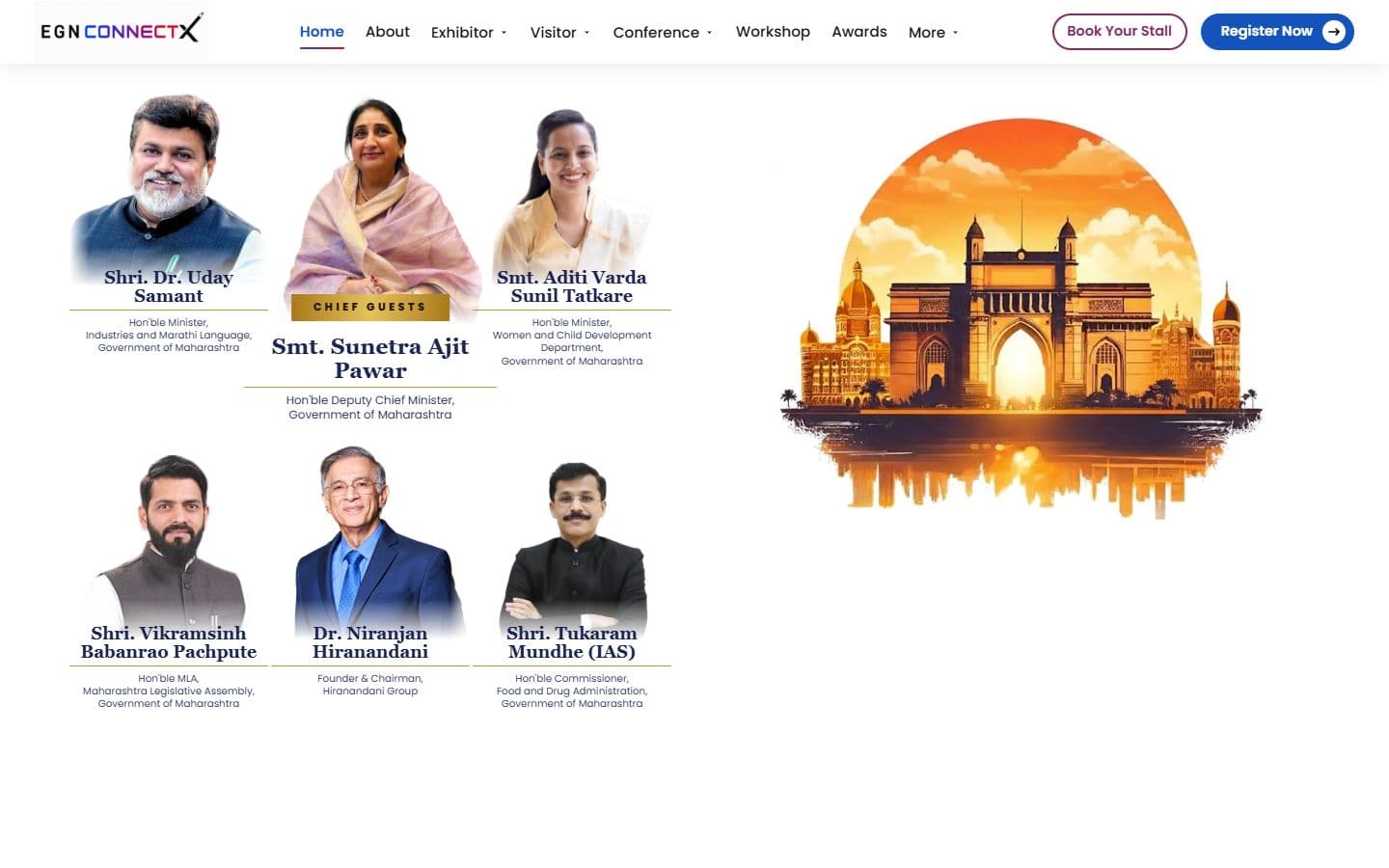
The official website for India's big education leadership summit. People can register, book stalls and nominate for awards, and explore the venue in an interactive 3D floor plan. Over 20,000 visitors are expected.