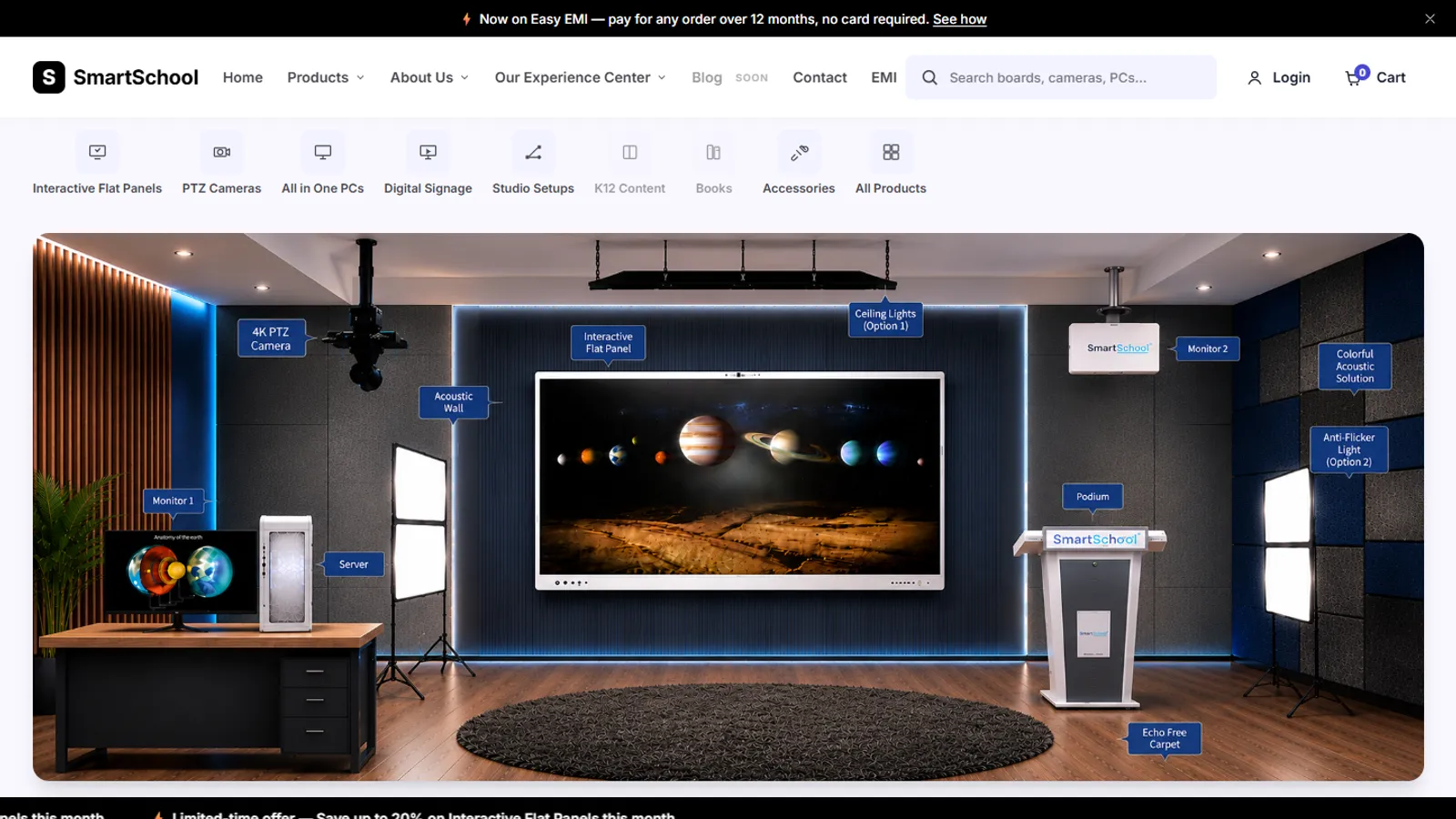
SmartSchool Experience Center
In DevelopmentAn online store for classroom equipment, built without a framework: 34 products, filters, a cart, checkout and a demo account.

Case study · SmartSchool Education Ltd
Frontend Developer · 2026
SmartSchool's marketing dashboard. It builds the daily and monthly lead reports from CRM exports, shows live traffic and Search Console data for four websites, runs SEO checks and audits, and emails a weekly summary.
SEO Agent
The sales team used to make their daily reports by hand: export leads and meetings from the CRM (called CIMS), then filter and count them in Excel. This tool does the same steps automatically for each salesperson, keeps running totals for the month and creates one Excel report. It then grew into a sign-in-protected dashboard for the marketing team: live Google Analytics traffic and Search Console keywords and pages for four websites, a check of whether AI crawlers can read each site, a competitor page comparison, a backlink and authority monitor, an SEO toolkit with saved projects and site audits, a Monday email with last week's numbers, and a transcription tool for audio and video, and a small assistant that explains the dashboard.
Technologies, platforms, and tools used to design, develop, and deliver this project.










The lead report is built in the browser, so no lead data is stored on a server. Everything for marketing runs through small server functions that keep the Google, email and database keys off the page. Everything is behind a sign-in popup. Click a name to open it.
Plain HTML, CSS and JavaScript with no build step, so the tool stays easy to open and edit. The server side is PHP, ported from Node when the front end and back end were split. The Excel libraries load from a CDN, with a clear message if the CDN is blocked.
4
Websites reported
5
Rosters tracked
10
AI crawlers checked
13
Marketing tabs
The page files are served exactly as written. The main script holds all the report logic: the rosters, the counting rules, the tables and the Excel export. The Excel libraries load deferred from a CDN, so they do not block the page from showing.
On Vercel each PHP request starts fresh, so nothing can rely on memory from an earlier request. That is why the login is a signed cookie instead of a server session, and why limits and locks live in a key-value store.
The company's Google Cloud setup does not allow service-account keys. Google access uses one OAuth 2.0 login token, created once with a small script and kept on the server. It carries both the Analytics and the Search Console read permissions, and each website is granted on that one Google account.
The Google login and request helpers are repeated in a few functions on purpose. Every file in the api folder is its own function, and a weekly job that silently stops was judged worse than a few repeated lines.
Only the api and frontend folders are served. Vercel finds the functions in api, and the pages load their files by absolute /frontend/ paths, so neither folder can move.
Drop in the leads export and the IVR call-log export (Excel or CSV files). The tool builds the day's tables for five rosters: FOS, HO, Abhinav, Coaching and Aditi's sales team. It ignores the Sales Self Lead and Distributor Reference sources, splits leads into customer and dealer by what they are interested in, and lists any salesperson it cannot match in an Unmapped group.
The real leads export wraps each heading across three rows and adds a near-empty row after every record. The reader merges the heading rows and drops those rows, so the columns are found and the counts are right.
The Leads tab builds a Coaching Team Meetings table from the leads export, with its own sheet in the Excel report. A separate Meetings upload tab used to credit each person listed on a multi-person row (checked on a real 396-row export, where 66 rows listed more than one person). It was taken out of the live tool on 2026-07-25 at the owner's request; its rules and code are kept for a restore.
Each day's counts are saved in the browser and add up to the month, so the month's report needs no database.
The Settings tab edits each team's names, shows a live head count next to each heading, and lists the table rules built from the same values the report uses, so the explanation cannot drift from the count.
One styled Excel report comes out of the browser. A separate command, run as 'npm run month', turns a whole month-to-date export into a workbook with a sheet per roster and an Unmapped sheet.
Sessions by month for one of the four websites (StudynLearn, SNL Solution, SmartSchool and EGN ConnectX): the last six finished months plus the month so far. The month in progress is compared with the same days of the previous month and is marked incomplete.
Live Google Analytics 4 numbers for each of the four websites, over the last 7 days unless you pick another range. The overview shows sessions, total users, new users, engagement rate and average session duration. Below it, a breakdown by channel (sessions, users, key events) and the top 100 pages by views (page title and path, views, users, key events).
Search Console queries and pages for each of the four websites, with clicks, impressions, click rate (CTR) and average position. Each tab shows the top 50 by clicks, and the data runs about 2 to 3 days behind.
The dashboard tracks the websites of four portfolio projects: StudynLearn, SNL Solution, the SmartSchool Corporate Website and EGN ConnectX. All four are read in both Google Analytics 4 and Search Console.
Checks any public page for whether ten AI crawlers (such as GPTBot, ClaudeBot and PerplexityBot) are allowed by its robots.txt, whether an llms.txt file exists, and the page's title, description and structured data. Each crawler shows Allowed, Blocked or Unknown. If a fetch fails the answer is Unknown, never Allowed. It says plainly that it does not measure whether AI tools actually cite the page.
Reads two public pages side by side: metadata, headings, content, images, links, structured data and where target keywords appear. It gives each page an on-page score with a written rule, search result previews, and CSV, JSON and print exports. A JavaScript mode runs the page in headless Chrome for sites built with React or Vue.
The comparison does not show rankings, competitor traffic, backlinks or search volume, and it never calls a page 'indexable' or says it qualifies for rich results. Checks it cannot run are listed as unknown and left out of the score instead of being guessed.
Domain Authority, Page Authority and Spam Score are Moz numbers, so they appear only from a Moz response or an imported Moz export, each with its source and date. Open PageRank scores are shown separately and never mixed in. A watchlist checks whether a referring page still links to your site, reporting the link, its anchor text and whether it is follow, nofollow, sponsored or user-generated.
A link is marked missing only when the page loaded fully and holds no link. Timeouts, blocked pages and pages built by JavaScript are marked unverified, and a removed page is marked gone. A weekly scheduled run re-checks the oldest links first.
Every Monday at about 9 am India time, an email goes out with last week's Search Console and Google Analytics 4 numbers for StudynLearn, SNL Solution and SmartSchool. Each site compares last week with the week before. The tab has recipients, an auto-send switch, Preview, Send now, a status panel and the result of the last send.
The email cannot go out twice by mistake and the recipient list can never be set from a request. A website with a failed call shows its own notice while the others still send, and nothing is sent if no website returned data.
Saved projects with a domain, brand, competitors and notes, and saved reports for each, stored in Supabase. Saving is switched off, with a reason, if the database is not set up.
Crawls one site at a time, up to 300 pages, following its robots.txt and sitemap. It finds broken links, missing or duplicate titles and descriptions, redirect chains, thin pages and more, and gives a health score with the rule written down. The browser drives the crawl in short steps, so no single call runs long.
Search Console insights for a project's own site, comparing a period with the one before, with CSV export. It reads only properties the connected Google account owns.
Upload audio or video, pick a language and model, and get a transcript you can search, edit, save and download as TXT, SRT, VTT, DOCX or PDF. It works only when the separate local transcription service (Python and Faster-Whisper) is running. The dashboard only signs a short-lived token, so large recordings never go through Vercel.
A floating helper that explains the dashboard and SEO terms. Common questions are answered from a fixed list of the tabs. Other in-scope questions go to Gemini, limited to a 45-word answer. It never reads the analytics data.
The marketing Settings tab currently holds only the log out button. The weekly email recipients live in the Weekly Email tab.
Everything that talks to someone else's server goes through a small PHP function, so keys never reach the page.
One Google sign-in (OAuth) reads both, and access is granted per site on that account. Google Analytics 4 is wired to each of the four sites (StudynLearn, SNL Solution, SmartSchool, EGN ConnectX) by its property ID, and Search Console by its property. Search Console was checked with real data for all four on 2026-08-19. The Traffic function limits each person to 20 requests a minute, and dates are checked in the browser and again on the server (real dates, start before end, nothing in the future, Search Console no more than 16 months back).
Sends the weekly email. It makes up to three tries, and retries only on a rate limit, a server error or a network failure, always with the same idempotency key so a send that did succeed is not delivered twice. There is no fallback sender.
Supabase keeps the toolkit's projects and reports, with its keys held on the server only. A key-value store keeps the email recipients, the send lock, the last-send record, the watchlist and rate limits.
An optional server-side fallback for the assistant. The address is limited to Google's own host, and the endpoint rejects analytics context sent from the browser.
Authority numbers come from a provider or a CSV import, always stored with the provider, date and source. The Moz connection is written but was not checked against the live service.
A separate Python service with its own database and worker. The browser sends the audio straight to it with a 15-minute token, because Vercel rejects large uploads. It validates files by decoding them, not by file name.
A separate Node service that opens a page in headless Chrome for the Competitor SEO JavaScript mode. Chrome's traffic goes through a guarded proxy that allows public addresses only. If the service is offline, the tab says so and guesses nothing.
The weekly email, the Moz connection and the live Vercel setup could not be fully proven from a laptop; the repo's notes list them as needing a check after deploy.
The repo has an automated test suite and a browser end-to-end suite. The security rules below are the ones the code and its notes describe.
A sign-in popup opens when you pick a department. The login comes only from server settings, and there are no default credentials: if they are not set, nobody can sign in and every private endpoint answers 401. After five failed tries from one address, sign-in is blocked for 15 minutes.
The session is a signed, HttpOnly, SameSite=Strict cookie that lasts 8 hours. Every change must also send a per-session CSRF token and come from the same site. Private responses are marked no-store and noindex.
Every page the tools fetch goes through one guard. It allows only web addresses on ports 80 and 443, refuses internal names and non-public IP addresses (including tricks such as mixed answers and IPv4 inside IPv6), pins the connection to the checked address, re-checks every redirect, and caps size, time and redirects.
Sign-in, Analytics, AI Visibility checks, authority checks and the comparison each have their own limit per person, and request bodies are size-capped with unknown fields rejected.
Only /frontend and /api are ever served from disk. Any other .php file or unknown path returns 404. A test checks the routing, and another can be run against a live deployment.
Every page sends a Content-Security-Policy that limits outside scripts to the two Excel library hosts, plus frame blocking, no referrer and no camera, microphone or location.
Run with 'npm test'. It starts the real PHP functions and replaces every outside call (Google, Resend, the key-value store, scanned websites, DNS) with a mock, so the tests can check what was not sent. Suites cover sign-in, the weekly email, AI Visibility, the page comparison, authority checks, the toolkit, the assistant and the Vercel routing. If PHP is missing, those suites are reported as skipped, never passed.
Playwright scripts drive the dashboard for the marketing tabs, the competitor tool, the authority monitor and the toolkit. The transcription service has its own tests, including a browser run.
Labelled inputs, a focus trap and Escape in the sign-in popup, status messages that screen readers announce, visible focus rings, and reduced motion respected.
Problem
AI Visibility reported every crawler as allowed when its fetch failed.
Solution
Added the Unknown state: only a missing robots.txt means allowed, and any other failure makes every crawler Unknown.
Result
The tab no longer shows a false Allowed.
Problem
The weekly email took 32 seconds with four websites, over PHP's local 30-second limit.
Solution
One batched Analytics request and four Search Console queries per site, all sent in parallel.
Result
2.5 seconds measured against the real Google APIs.
Problem
Three roster names were misspelled, so those salespeople's leads landed in Unmapped and showed as zero.
Solution
Corrected the names to match the export, and added a correction step so browsers with an older saved roster were fixed too.
Result
On the checked month-to-date export, the FOS total rose from 593 to 612 customer leads and from 80 to 83 dealer leads.
No test count is claimed here: the repo's notes quote one from a single date, and the suite has grown since.
Hosted on Vercel as static files plus PHP functions, with no build step.
Each file in the api folder runs as its own PHP function (vercel-php 0.9.0, up to 60 seconds). The pages and the front-end files are served from the repo root.
Vercel's Hobby plan allows 12 functions, and every api file counts as one. The repo uses all 12. One gateway function serves every HTML page and also carries the SEO Toolkit's endpoint through a fixed list, so adding a feature did not need a new function.
Mondays at 03:30 UTC (about 9 am India time) the weekly email goes out. Tuesdays at 04:00 UTC the authority monitor re-checks its links. Both need a CRON_SECRET; without it the schedule is switched off, never left open.
The login, the session secret, the Google, Resend, Supabase and Gemini keys and the per-website property names are Vercel settings. None are in the repo. The notes also say real lead exports must never be committed, and the repo ignores the usual file names.
Redeploy the previous Vercel deployment or revert the change.
The transcription and render services run outside Vercel and are not part of this deploy.
See the Design Lifecycle: how the experience was structured, the visual direction and the final screens.
iPhone

Tablet
Android
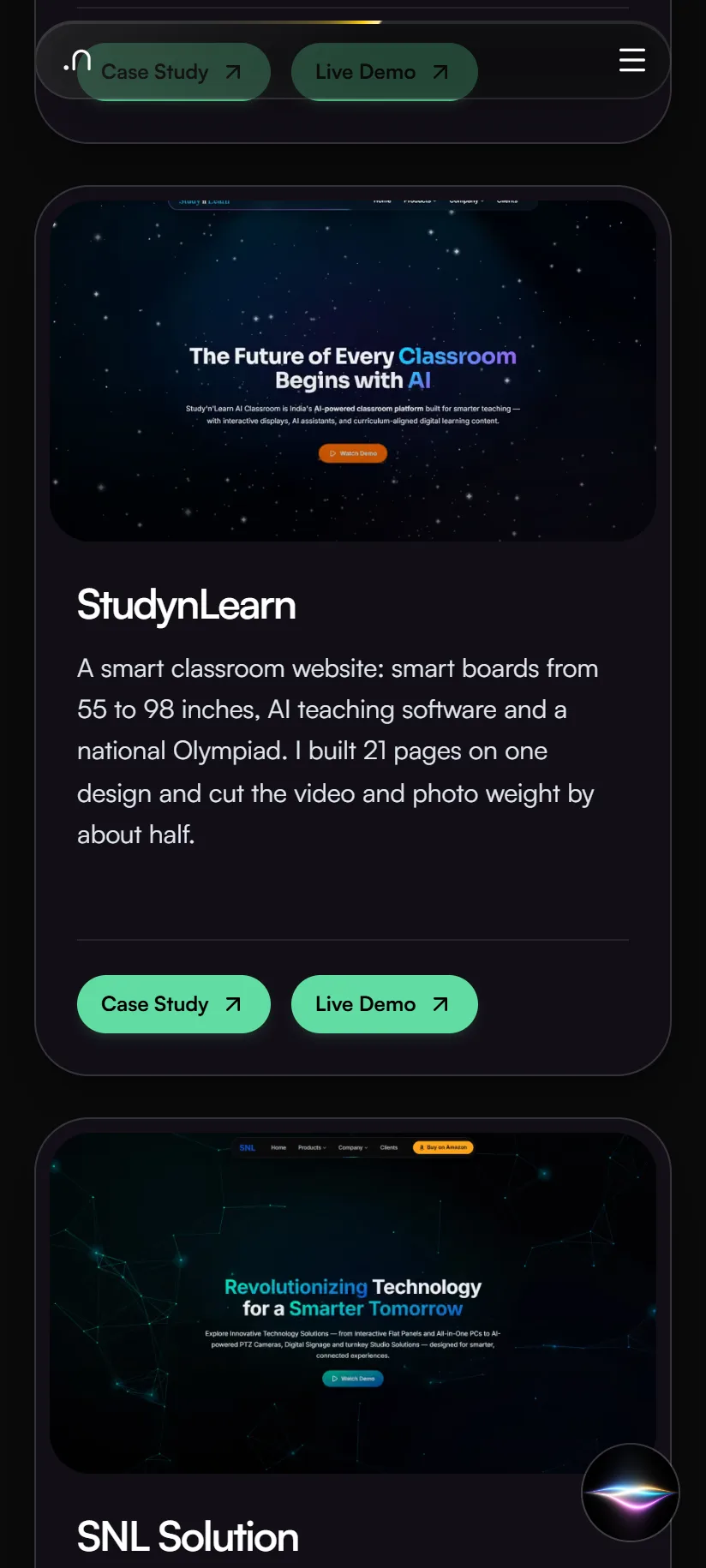
An online store for classroom equipment, built without a framework: 34 products, filters, a cart, checkout and a demo account.
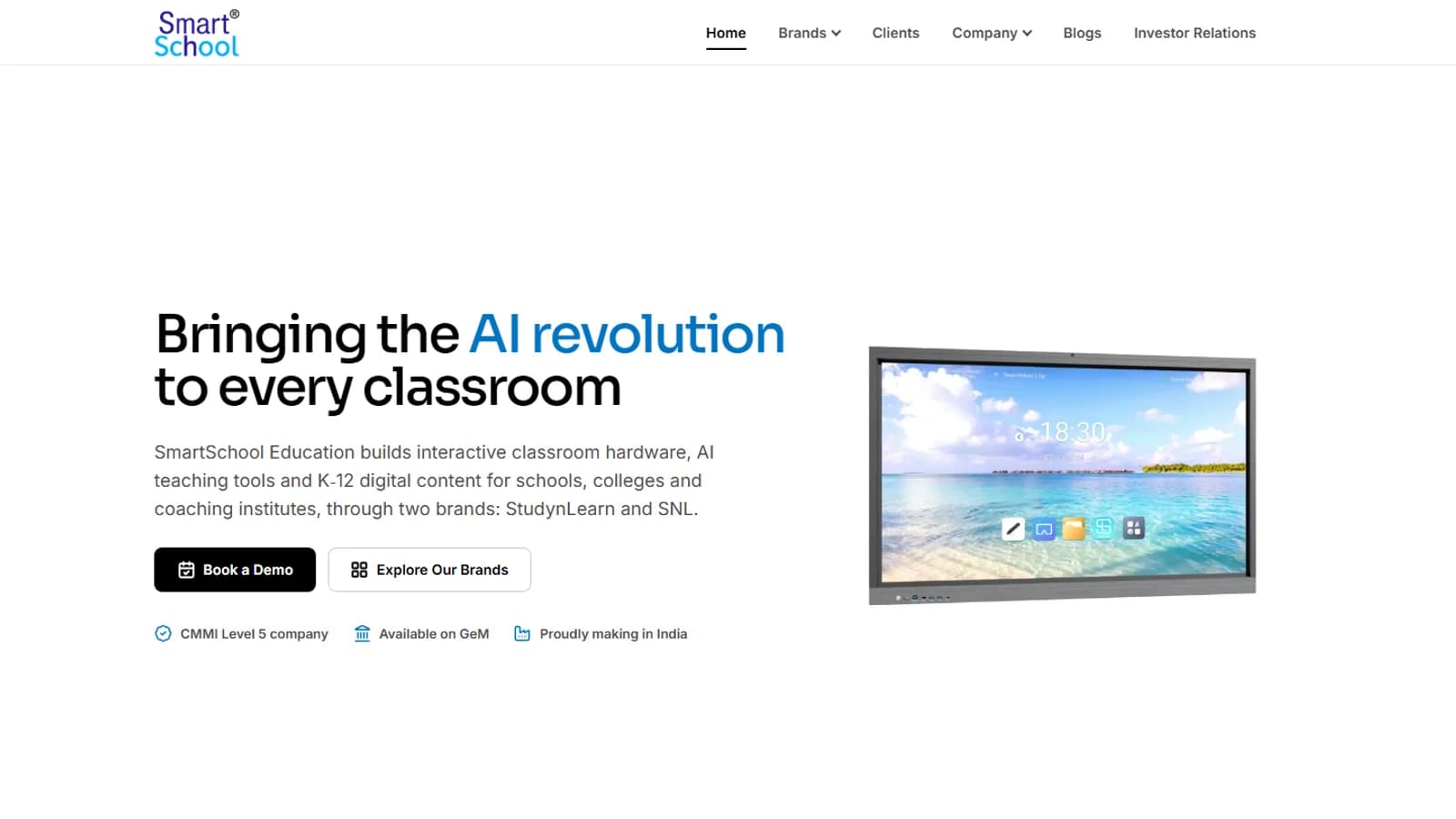
The corporate website of SmartSchool Education, an Indian EdTech company: a V2 redesign with a new homepage, brand pages, an investor relations page and a newsroom of 60 stories.
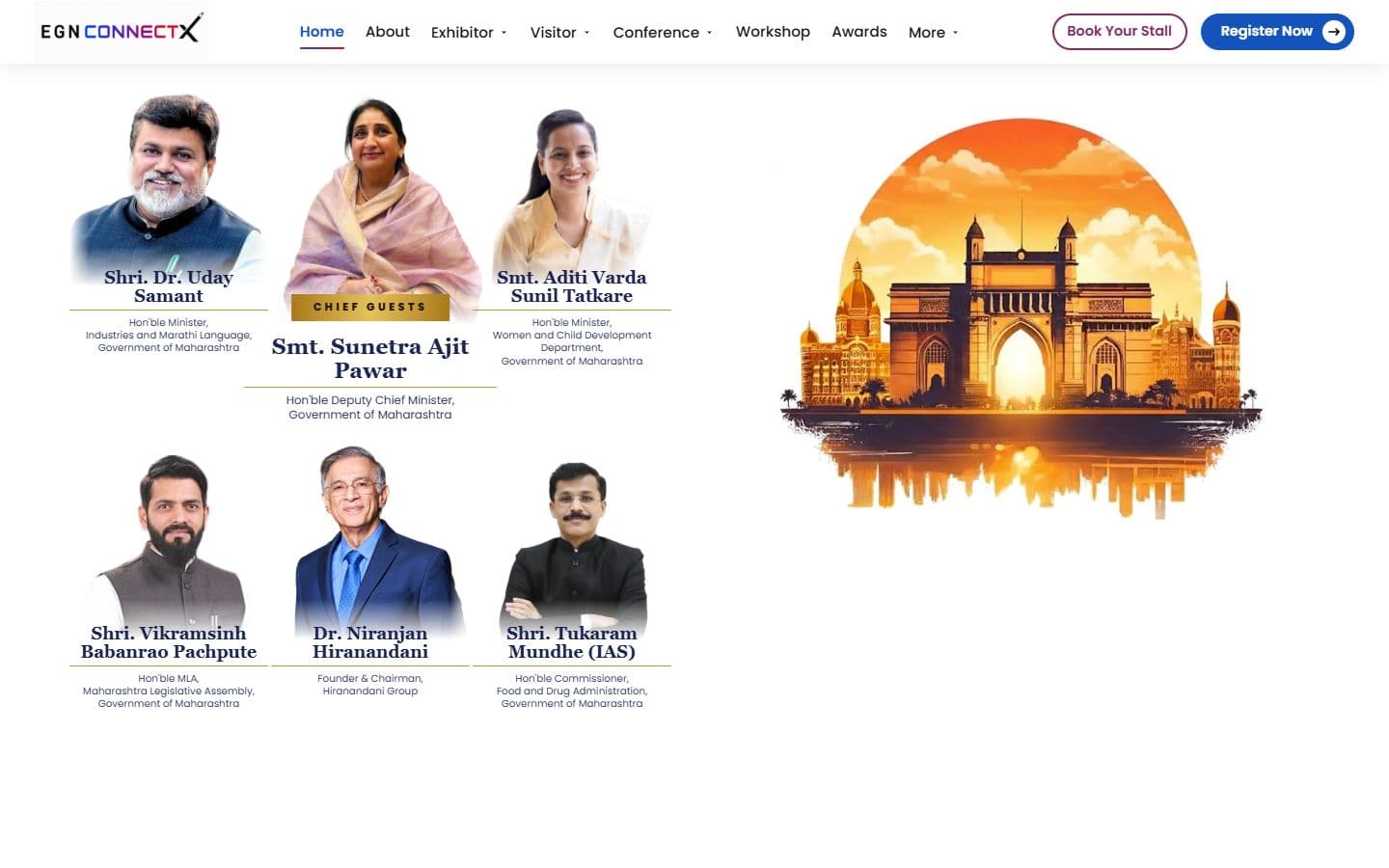
The official website for India's big education leadership summit. People can register, book stalls and nominate for awards, and explore the venue in an interactive 3D floor plan. Over 20,000 visitors are expected.