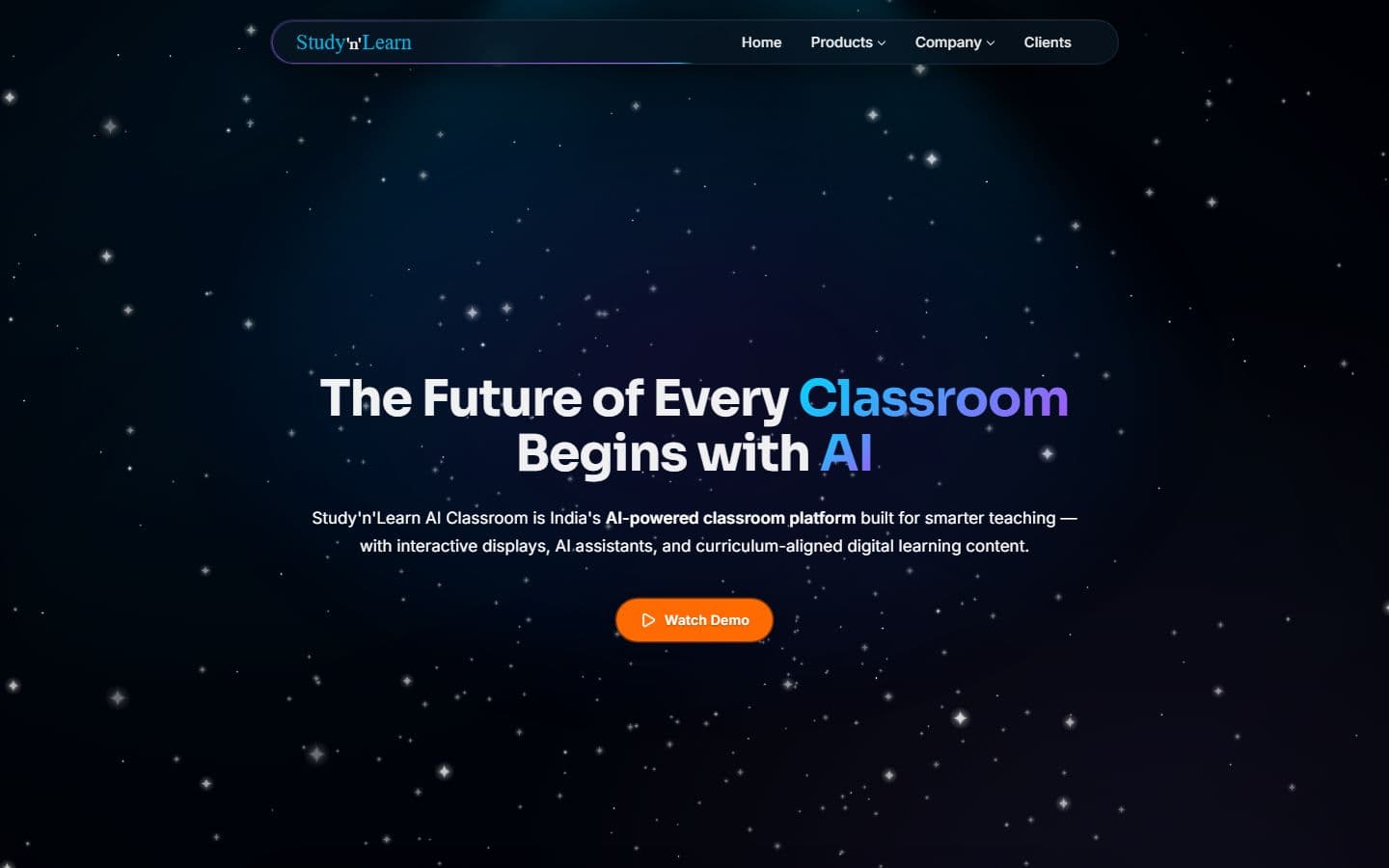
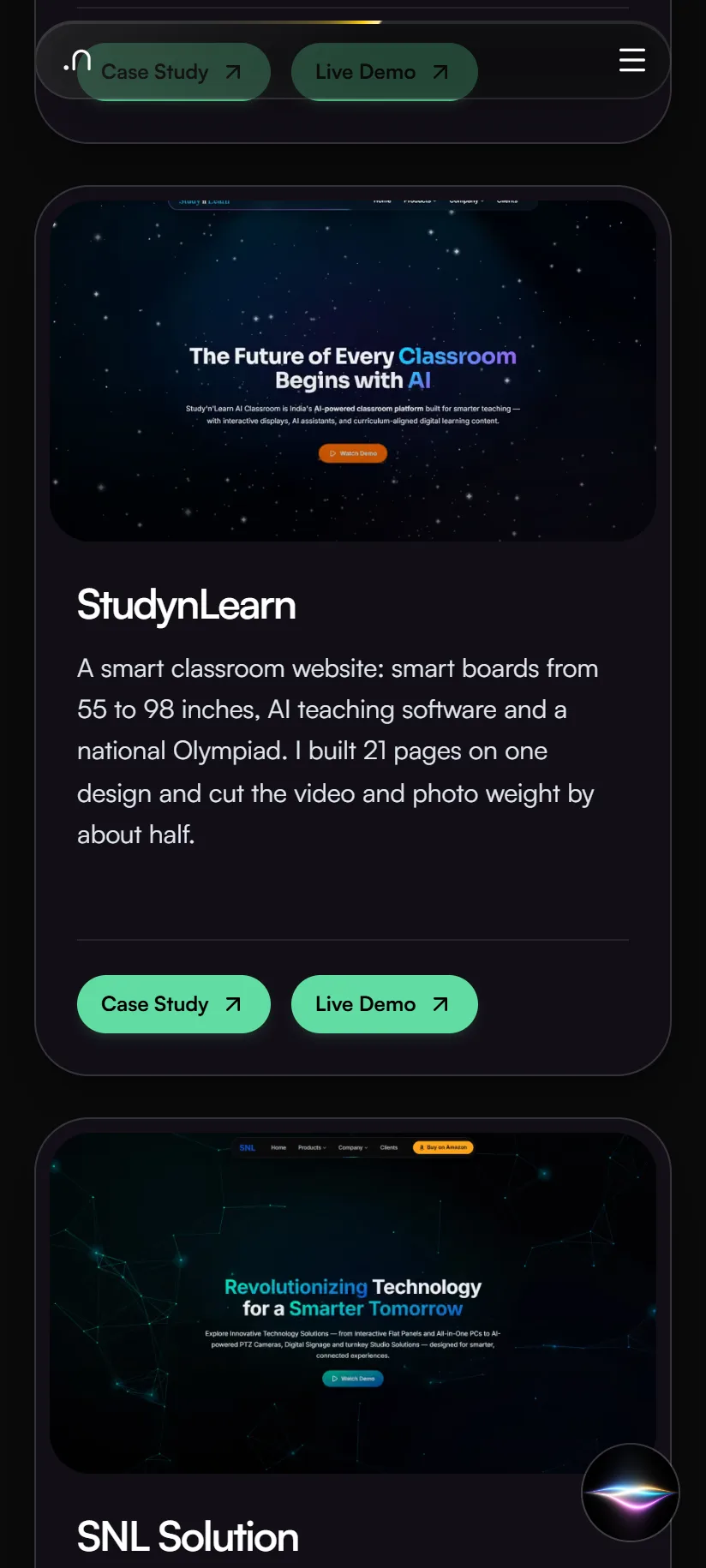
A smart classroom website: smart boards from 55 to 98 inches, AI teaching software and a national Olympiad. I built 21 pages on one design and cut the video and photo weight by about half.

Case study · EGN EDU INDIA PRIVATE LIMITED
Frontend Developer · Jun – Oct 2026
The official website for India's big education leadership summit. People can register, book stalls and nominate for awards, and explore the venue in an interactive 3D floor plan. Over 20,000 visitors are expected.
3–4 November 2026 · Bombay Exhibition Centre, NESCO, Goregaon, Mumbai
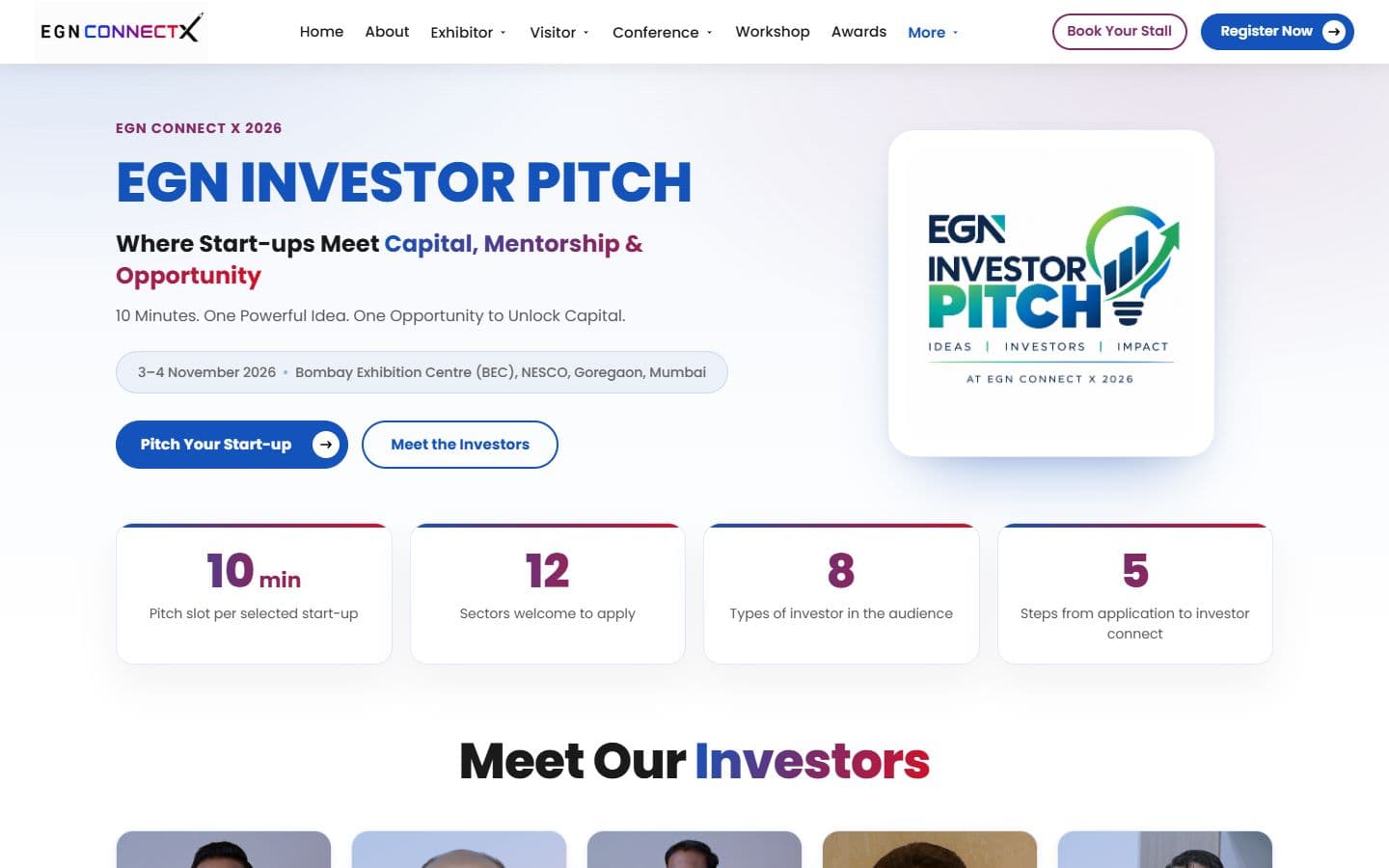
Home page
EGN ConnectX is the website for a national education summit. I built the front end: 47 pages that share one design, covering registration, stall booking, partner forms, an awards nomination form and a login area for exhibitors. I also built two interactive 3D scenes, a room of 12 round tables for the school leaders' discussion and a floor plan of the whole venue with 264 stalls.
Technologies, platforms, and tools used to design, develop, and deliver this project.







EGN ConnectX has to do the work of a ticket office, a trade-fair brochure and a map at once. Visitors, exhibitors, partners, speakers and award nominees all arrive at one site, each wanting something different.
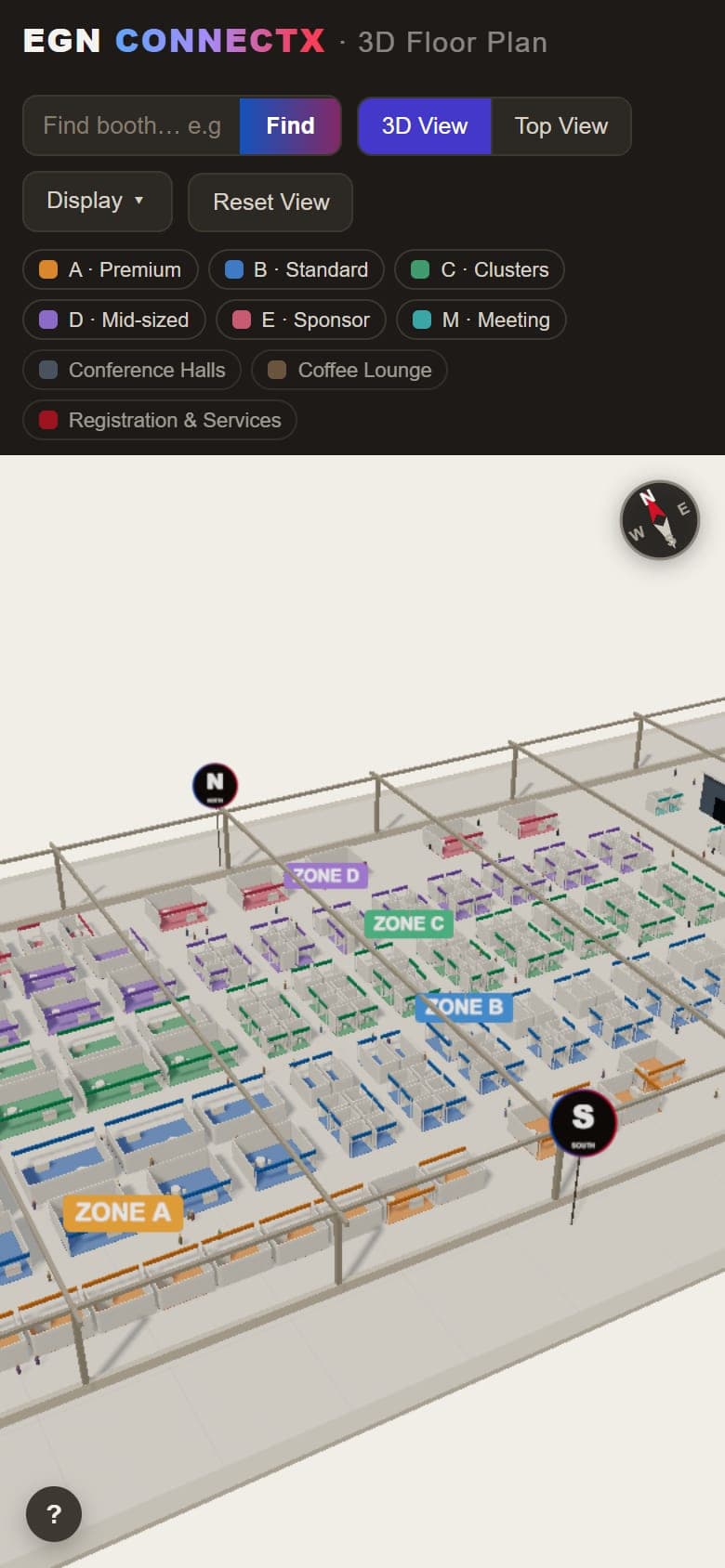
Instead of relying only on a static exhibition map, the EGN ConnectX website includes an interactive 3D floor planner that lets exhibitors and visitors explore the venue before arriving.
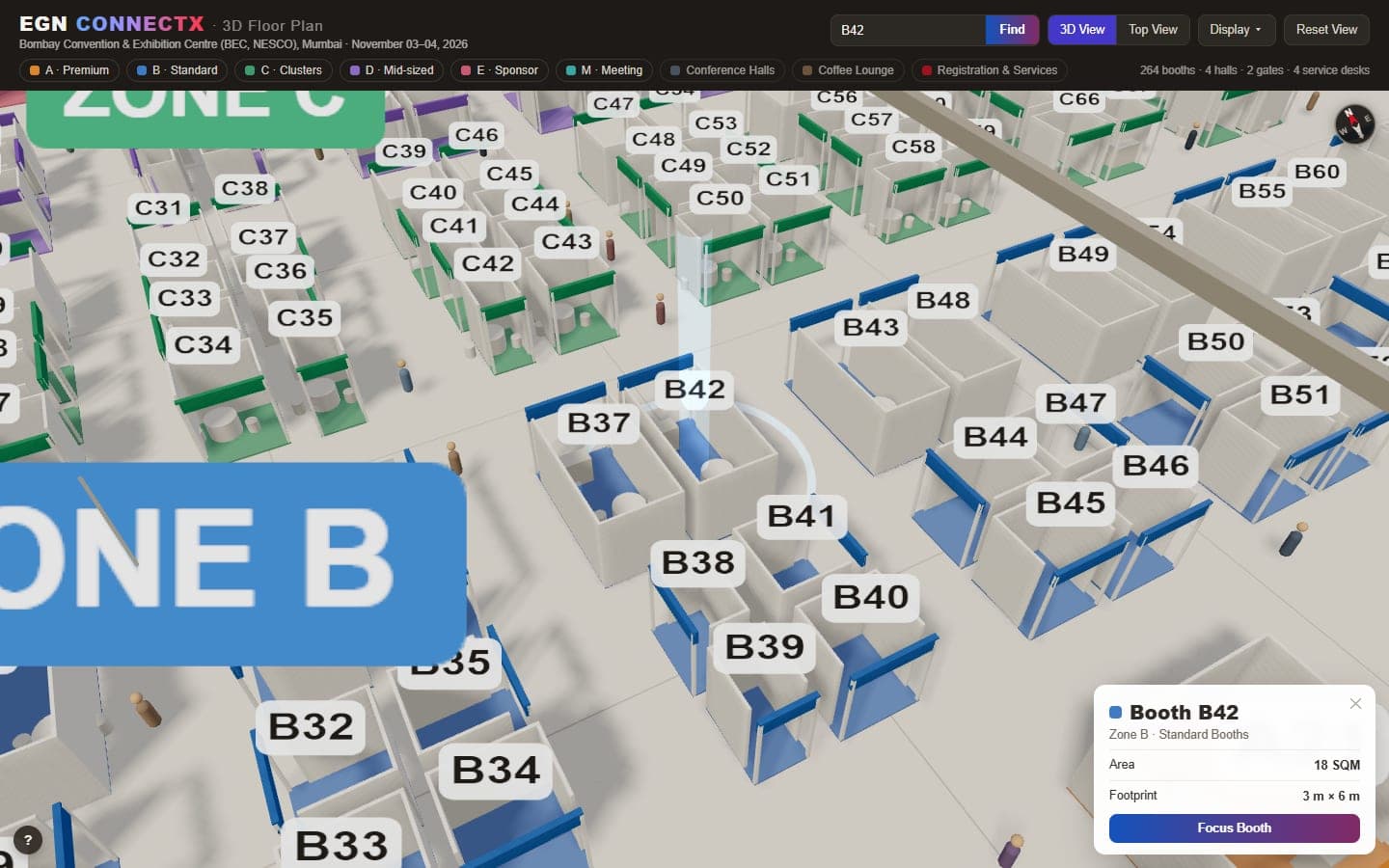
Users can orbit around the exhibition hall, zoom and pan through the layout, search for a booth by ID, move directly to its location and inspect a booth's zone, area and footprint.
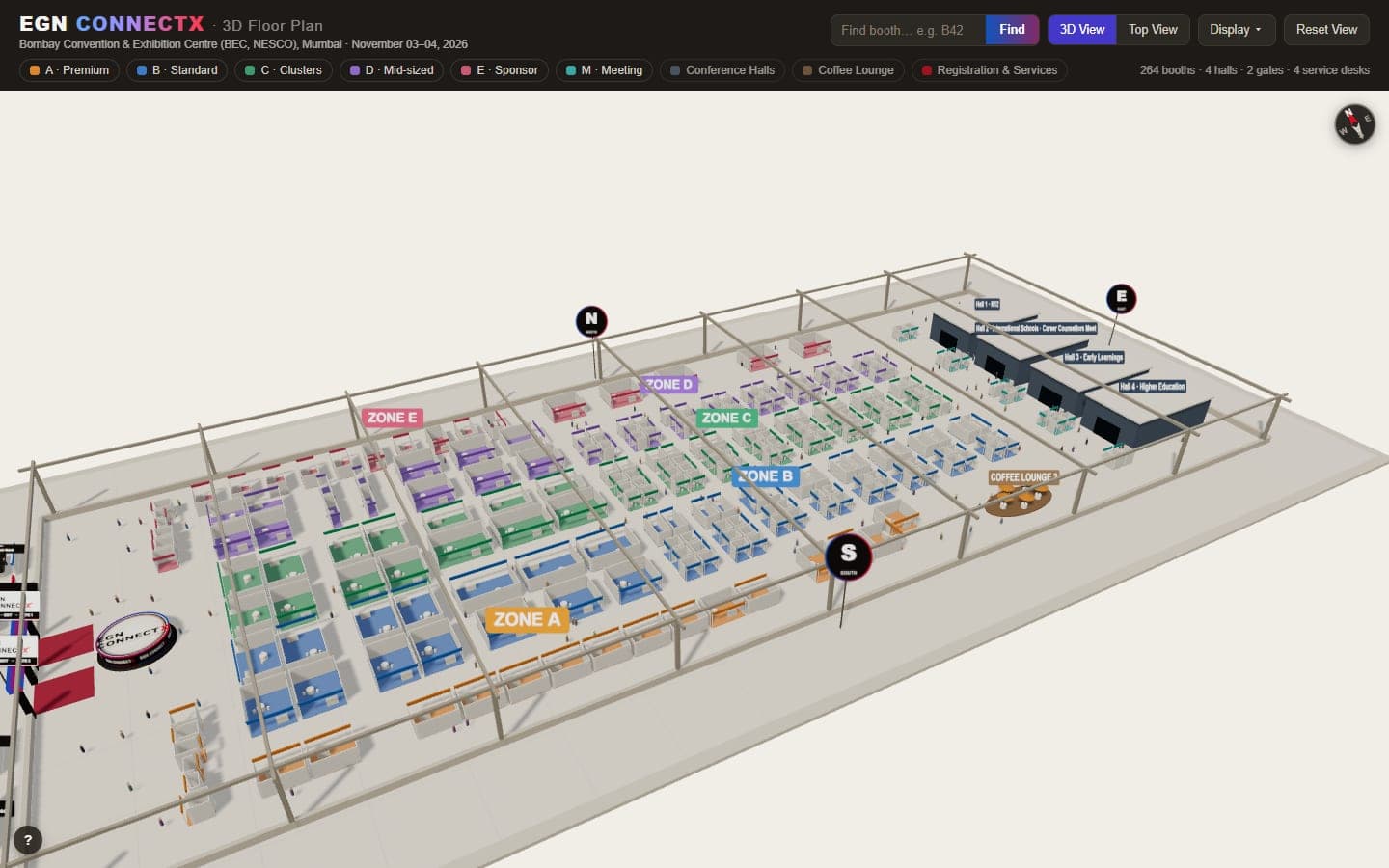
On a touch screen: drag to orbit, pinch to zoom and drag with two fingers to pan. The arrow keys orbit the camera too.
Orbit
Explore the exhibition hall spatially.
Search
Find a booth directly by its ID.
Navigate
Move the camera directly toward the selected booth.
Inspect
View useful booth and zone information.
Opens the live page. Use “Enter Virtual Space” there for full screen.
Challenge
A static floor plan makes it hard for an exhibitor to understand the physical venue, find one booth among 264 and judge what stands around it before the event.
Solution
A 3D floor plan built into the website lets people explore the hall, search a booth by its ID and inspect individual booths. It is one click from the Exhibitor menu and from the stall-booking page.
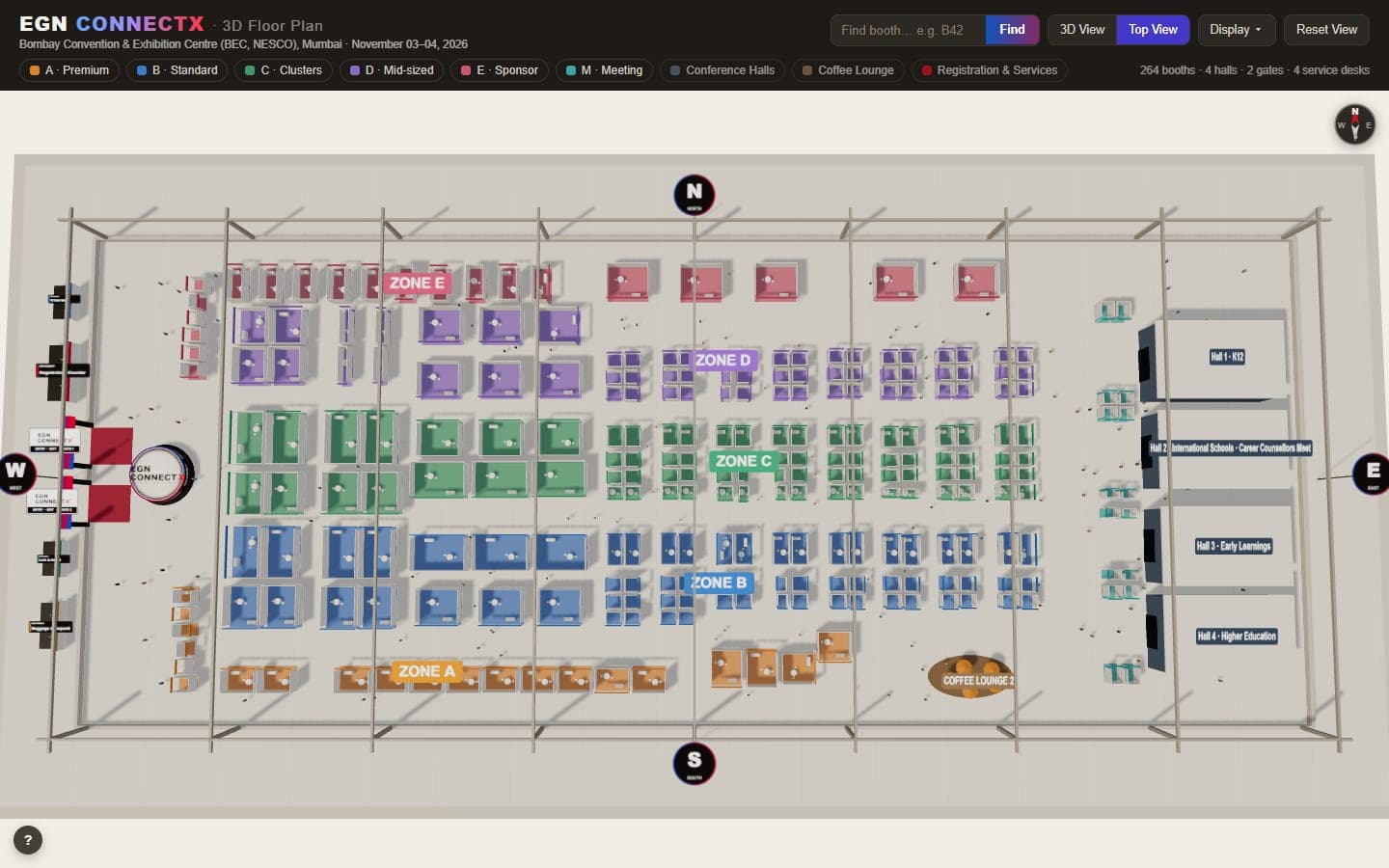
Booths are colored by zone and shown with the halls, gates and coffee lounge around them, so a location makes sense in context, not as a number in a list.
A compass, a Top View button and Reset View keep people oriented while they move around the hall.
Type a booth ID and matching IDs are suggested; choose one and the camera moves to it. The zone filters do the same for a whole zone.
It opens in the browser, with no plug-in and no login, so an exhibitor can judge a booth before booking it.
Fullscreen experience
Users can expand the floor planner into a focused full-screen view, keeping the 3D scene and its controls on screen without the rest of the website competing for attention.
The planner is a self-contained page with its own scene and toolbar, shown in a lazy-loaded iframe: its look and code stay apart from the site's, and the browser doesn't fetch the scene until a visitor scrolls toward it. The three.js library is bundled into it, so nothing loads from an outside host.
Full screen is requested on the wrapper around the frame, not the frame alone, so Enter and Exit stay on screen. Esc exits, and a browser without full-screen support scrolls the frame into view instead.
The frame is 16:9 on desktop and never taller than 80% of the screen, then a taller 4:5 on phones, with the how-to hints under it stacking into one column.
Touch has pinch-to-zoom and two-finger pan, and the arrow keys orbit the camera. The search box is labeled for screen readers and suggests matching booth IDs as you type, and camera moves are instant for people who prefer reduced motion.
Every page is one PHP file with the same header and footer. Four menus in the header hold the pages, and two buttons on the right are always visible. This is the structure today. There are 47 pages: 49 PHP files, less the two old Conference and About Summit addresses, which only redirect.
Low-fidelity layouts for the home page and the stall booking page, on desktop and phone.
Whatever the page, the visitor can book a stall or register without hunting for the way.
Every conference track uses the same intro, schedule table and side list, so a visitor who learns one page knows them all.
Schedule tables stack into cards below 720 px, so no one scrolls sideways.
A bold, gradient-led brand on clean white pages. One three-color gradient is the signature, and everything else stays quiet so the content leads.
Page titles in extra bold and section titles in bold, scaling smoothly with the screen. Body text in regular and medium at a generous line height, and small upper-case labels above sections. The one exception is two words in the home hero, set in a script face, Kaushan Script.
Page titles use one size, weight and spacing, and section titles use another. Both are set once in the shared stylesheet, so changing a value there changes every heading on the 47 pages.
In a section title the most important word or phrase is painted with the three-color gradient and the rest stays dark. The full brand name in a heading uses the same gradient, sweeping slowly, and it stops for people who ask their device to reduce motion.
Brand blue
#1453BC
The first stop of the gradient and the main button.
Brand purple
#822966
The middle stop of the gradient.
Brand red
#D51024
The main accent: buttons and the active menu item.
Gradient
Signature strips, dividers and highlights.
Dark red
#A10F1B
Hover and pressed state of the red button.
Text
#1A1A1A
Body text on white.
Secondary text
#555555
Descriptions and small print.
Hairline
#E5E5E5
The only color for dividers and card borders.
Every color is a named value in one shared stylesheet. A page never types its own hex code, and the gradient never gets a fourth color.
Anything used by two or more pages goes in the shared stylesheet. A page's own stylesheet holds only what that page alone needs, and one rule is never split across both.
Animations move only position and fade, never size or spacing, and each one switches off for people who ask their device to reduce motion.
Menu and button links use paths such as /bookstall, not the full web address, so the same pages work on the live domain and on a test build.
Buttons are pills, 38 px tall, red with a darker red on hover. Cards and inputs use a 12 px corner and larger panels 18 px. There are no sharp corners in the shared parts.
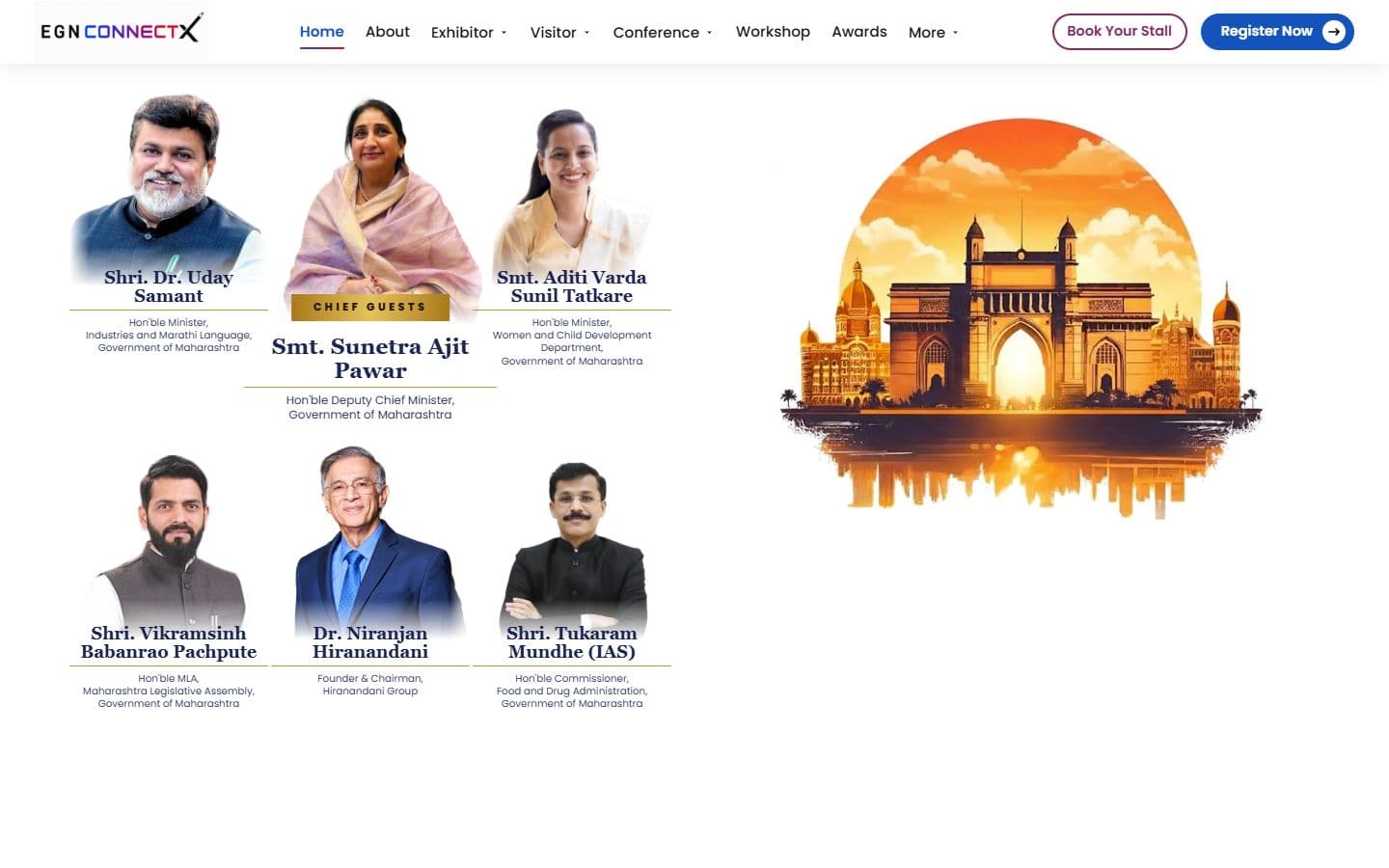
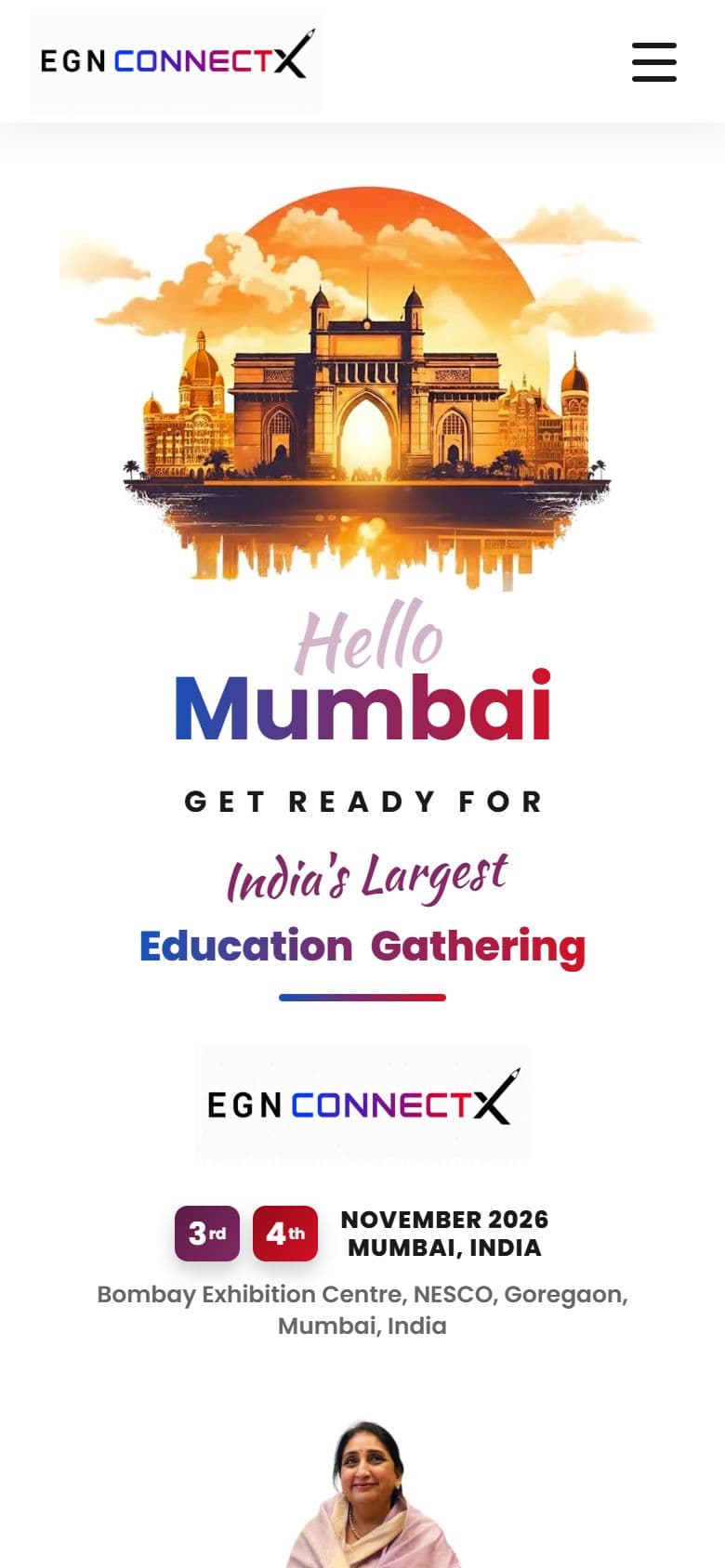
The home hero is a looping, muted Mumbai video with a scroll-driven text animation (“Hello Mumbai”, “Get Ready For”, “India's Largest Education Gathering”), a logo with a date pill, and a board of six chief guests beside it on a desktop and below it on a phone. The script words are the one place the site leaves Poppins, so the rest of the pages stay quiet. This hero is on egnconnectx.com. On the review copy, at 600 px and below, the animation is off, the date shows without its pill frame, and the text is static; that phone layout is not on egnconnectx.com yet. I have not measured the hero's speed.
The exhibitor login area uses blue buttons instead of red, so the whole portal reads as its own working space.
A 36 px edge gutter (16 px on phones) and a 66 px header on every page. Breakpoints sit at 1280, 991, 768 and 600 px, and the menu becomes a drawer at 991 px.
Real screens from the finished site, in four groups. The 3D floor planner has its own section near the top of this page, and the round-table room is shown in full on the Development tab under “Building the 3D round table and floor planner”.
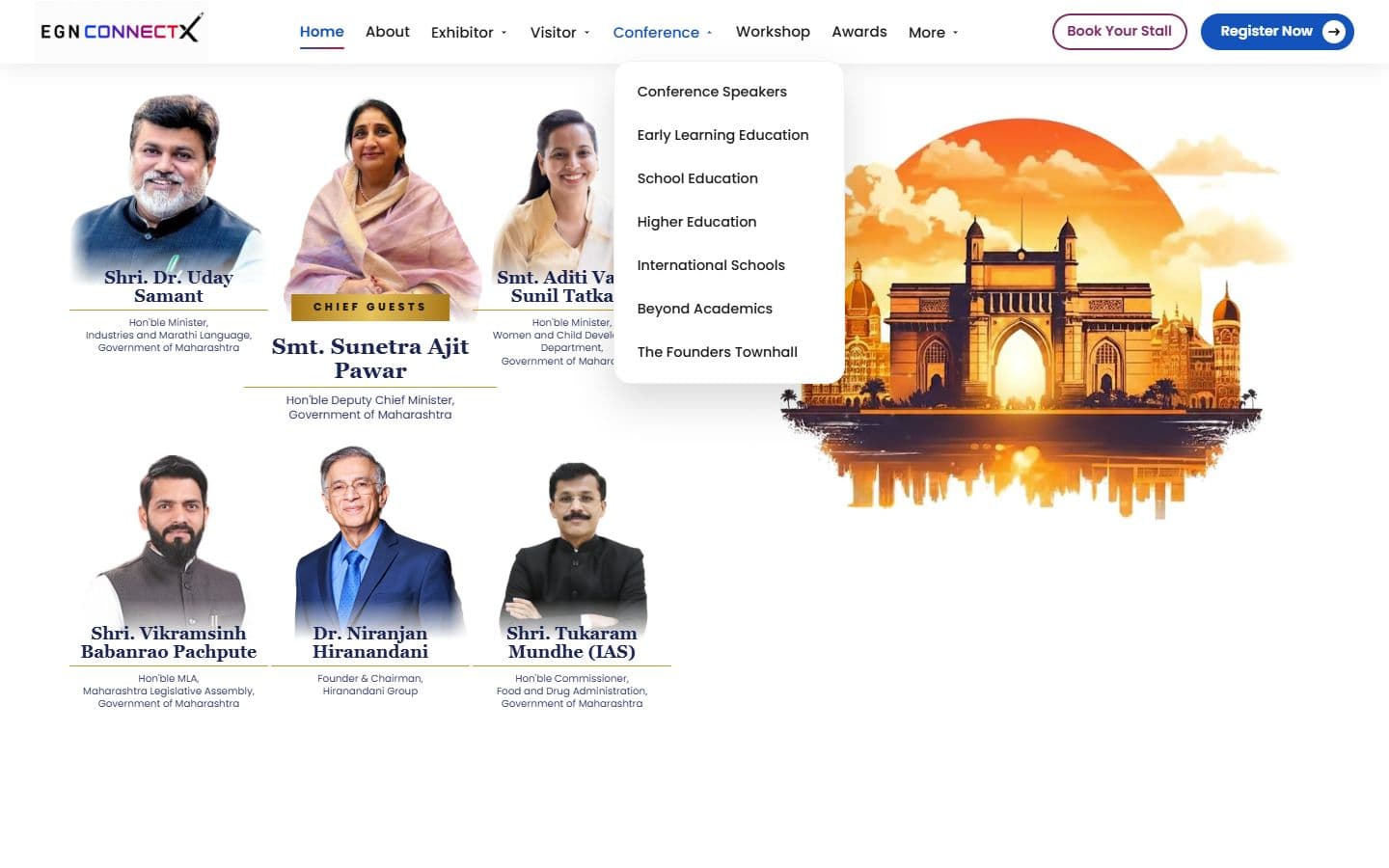
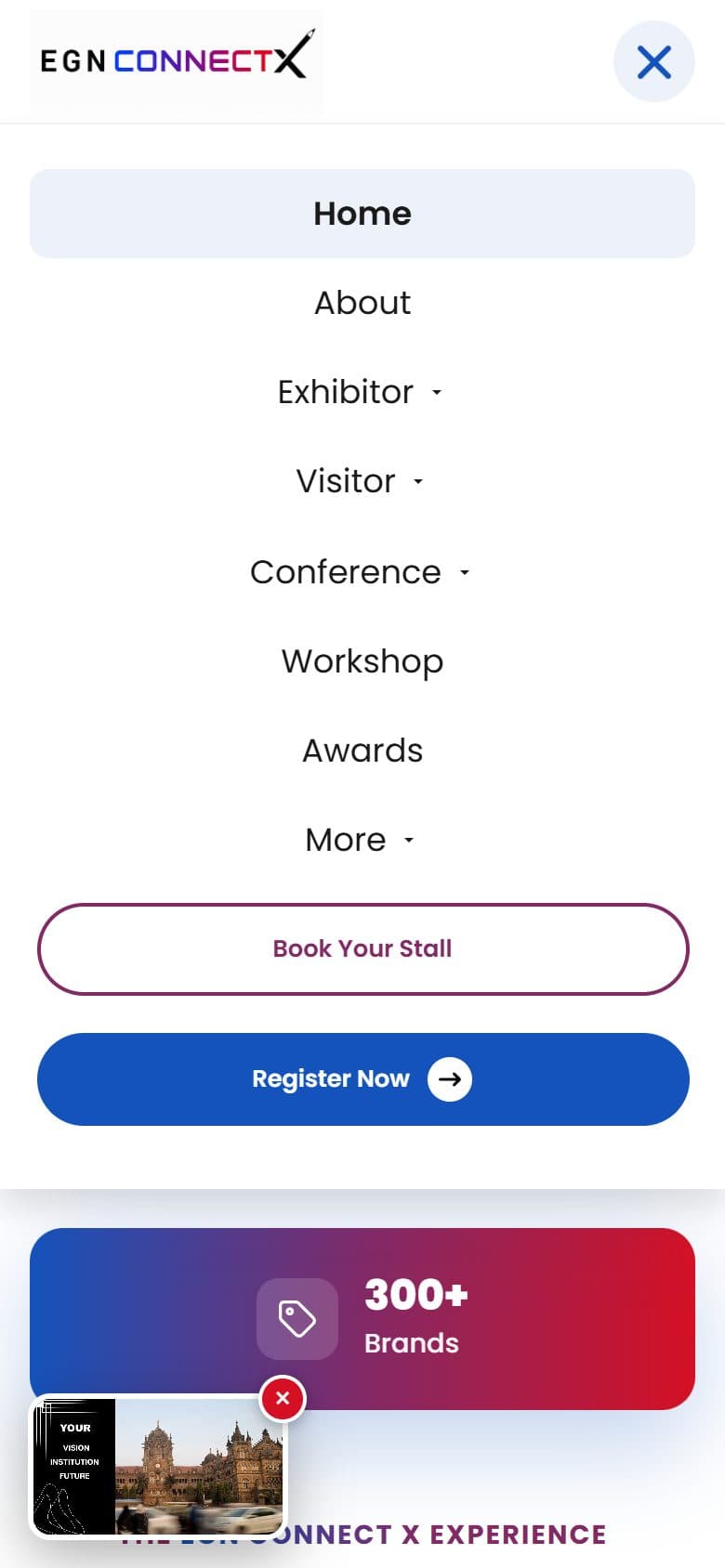
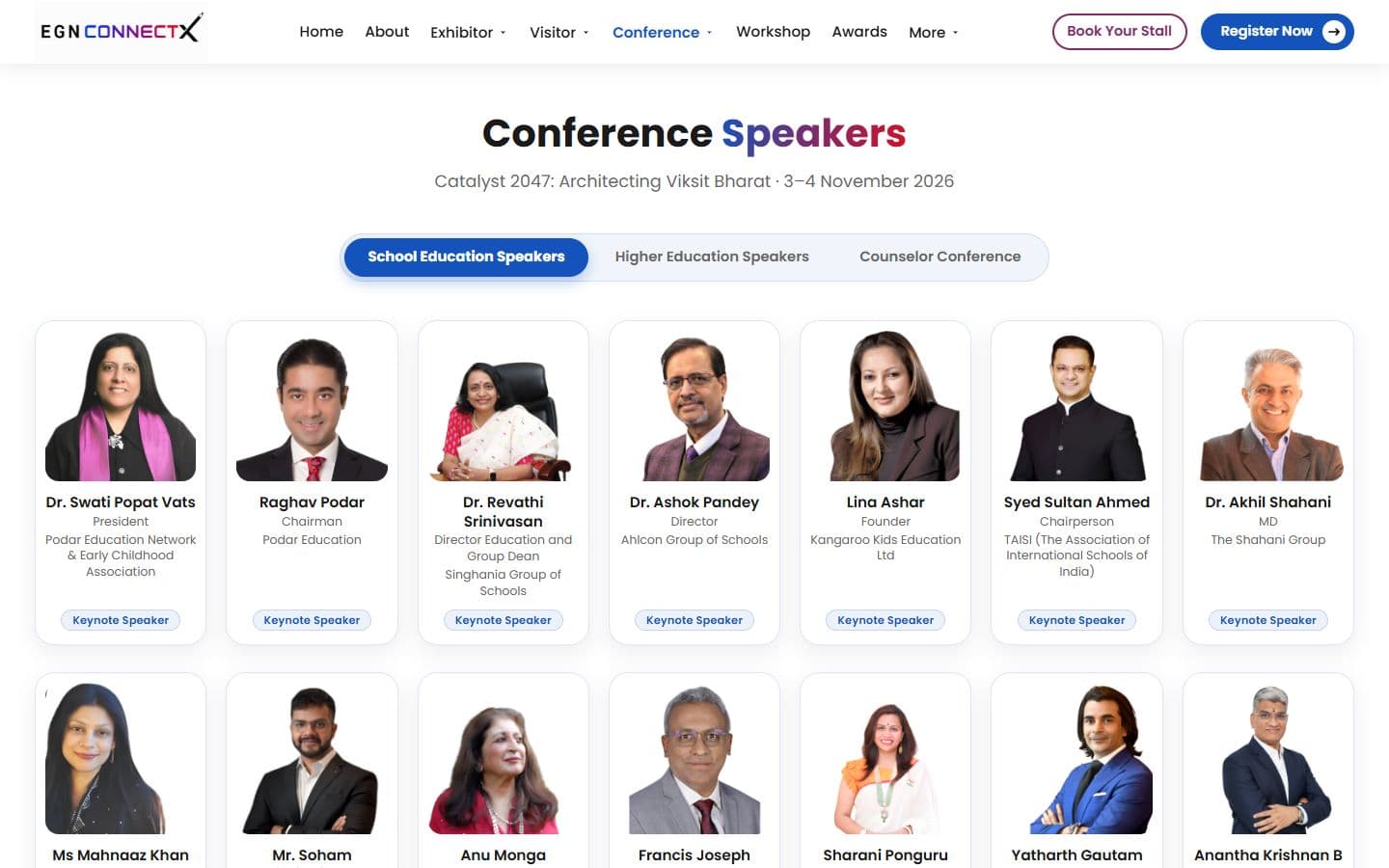
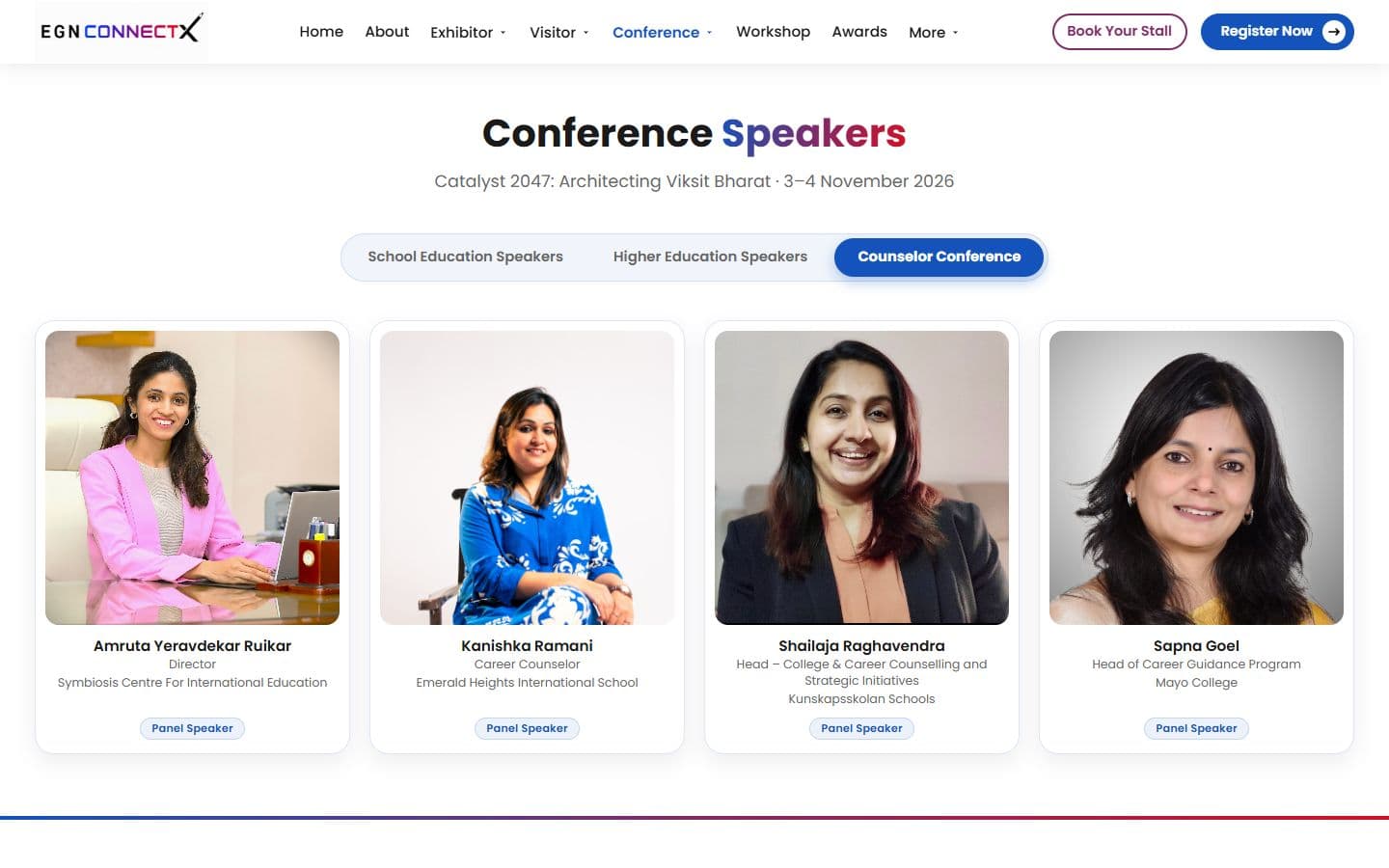
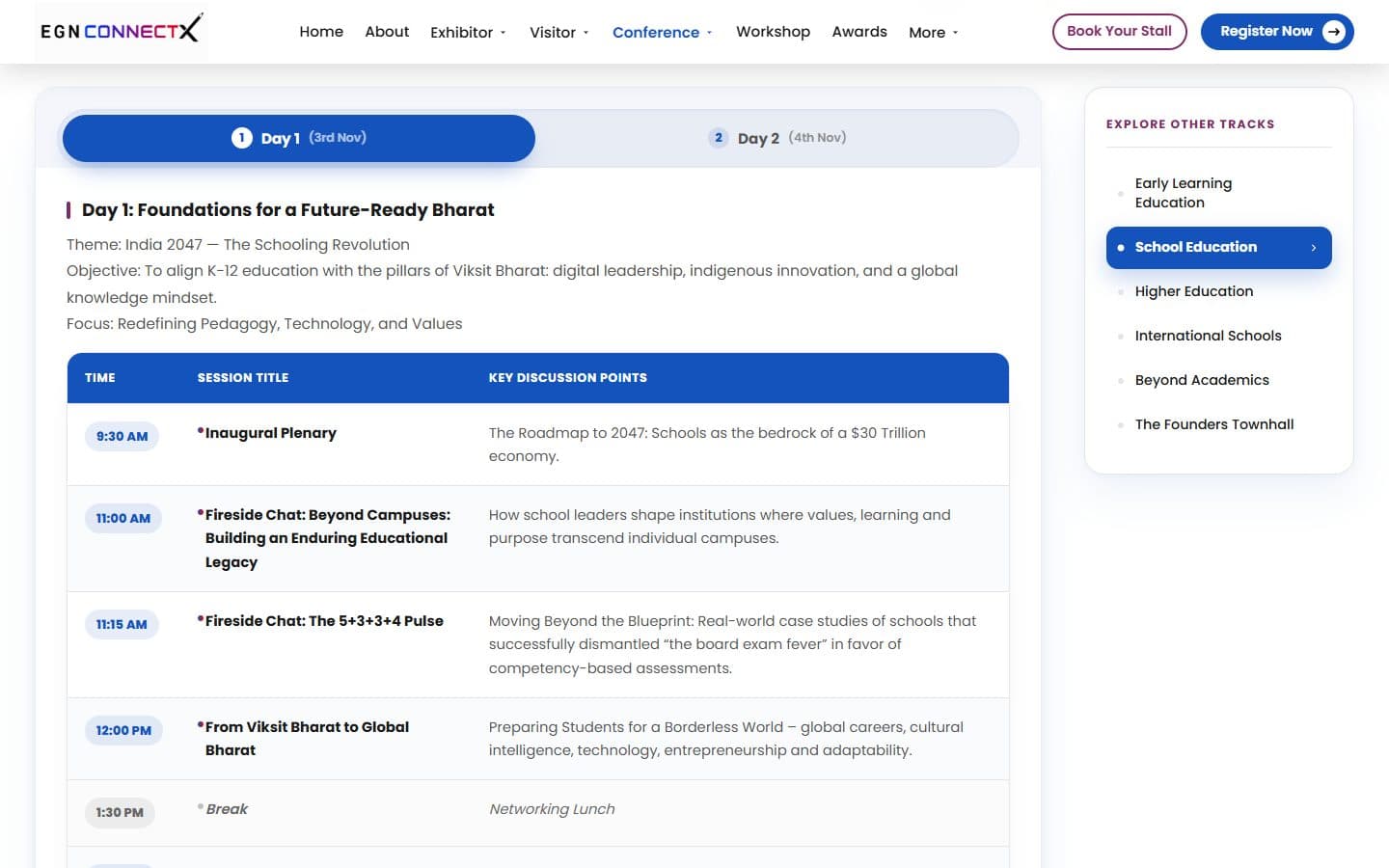
Exhibitor, Visitor, Conference and More, driven by one list each, so the desktop menu, the phone drawer and the highlighted item always agree.
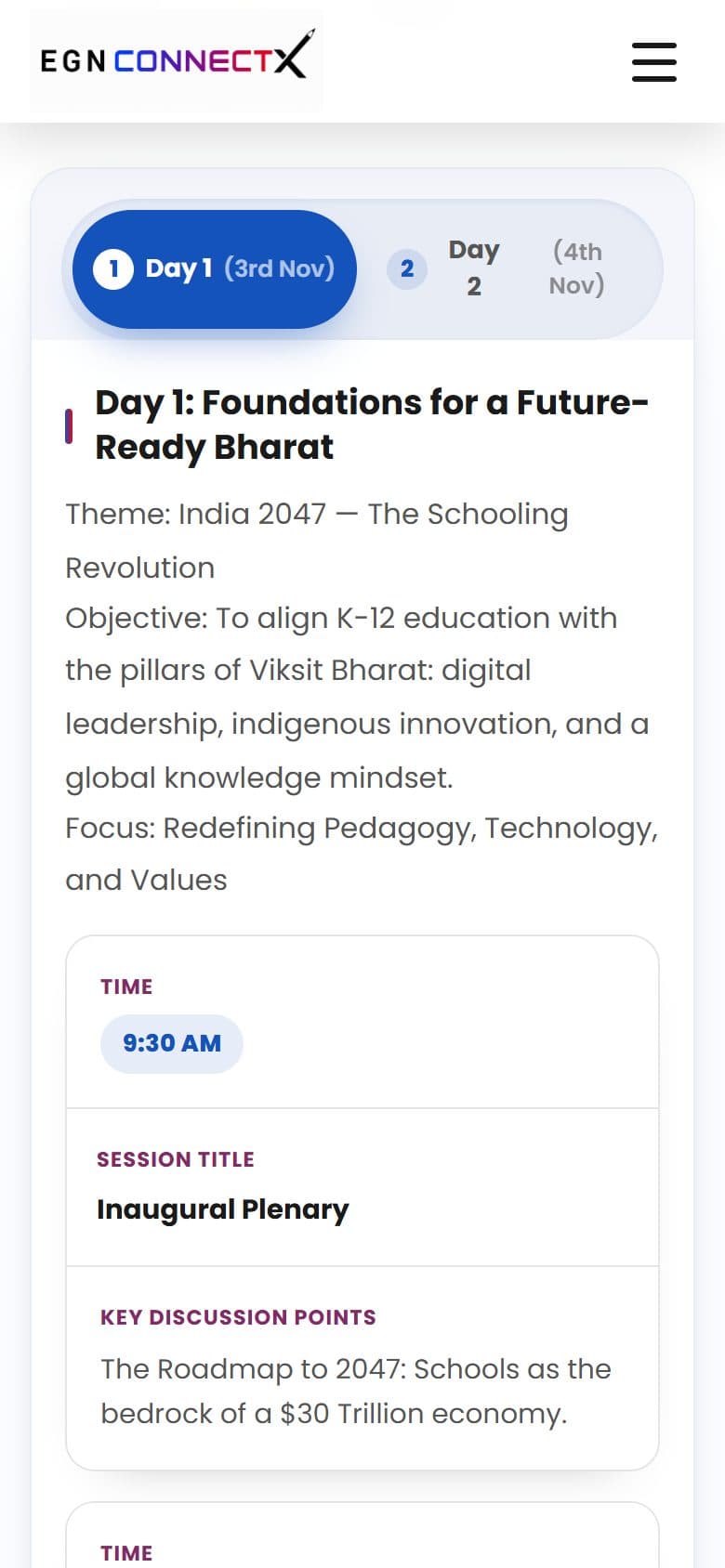
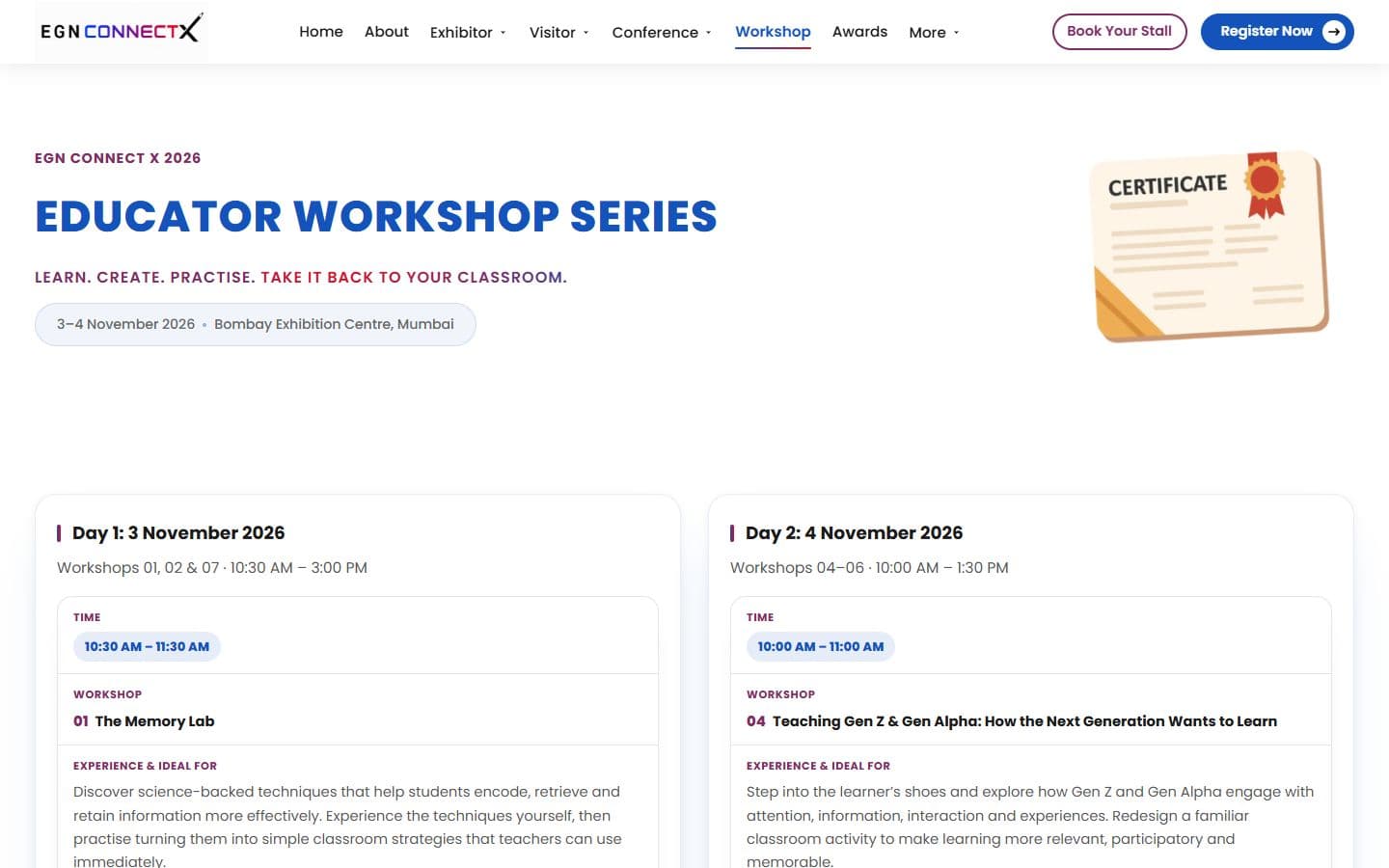
A Day 1 and Day 2 tab bar that opens one schedule at a time, with keyboard arrows. The speakers page has its own tab bar in the same style, with School Education, Higher Education and Counselor Conference, and keynote speakers pinned to the top of the first tab. The Workshop page shows its two days side by side, with no tabs.
A clean table on desktop that turns into stacked cards on a phone.
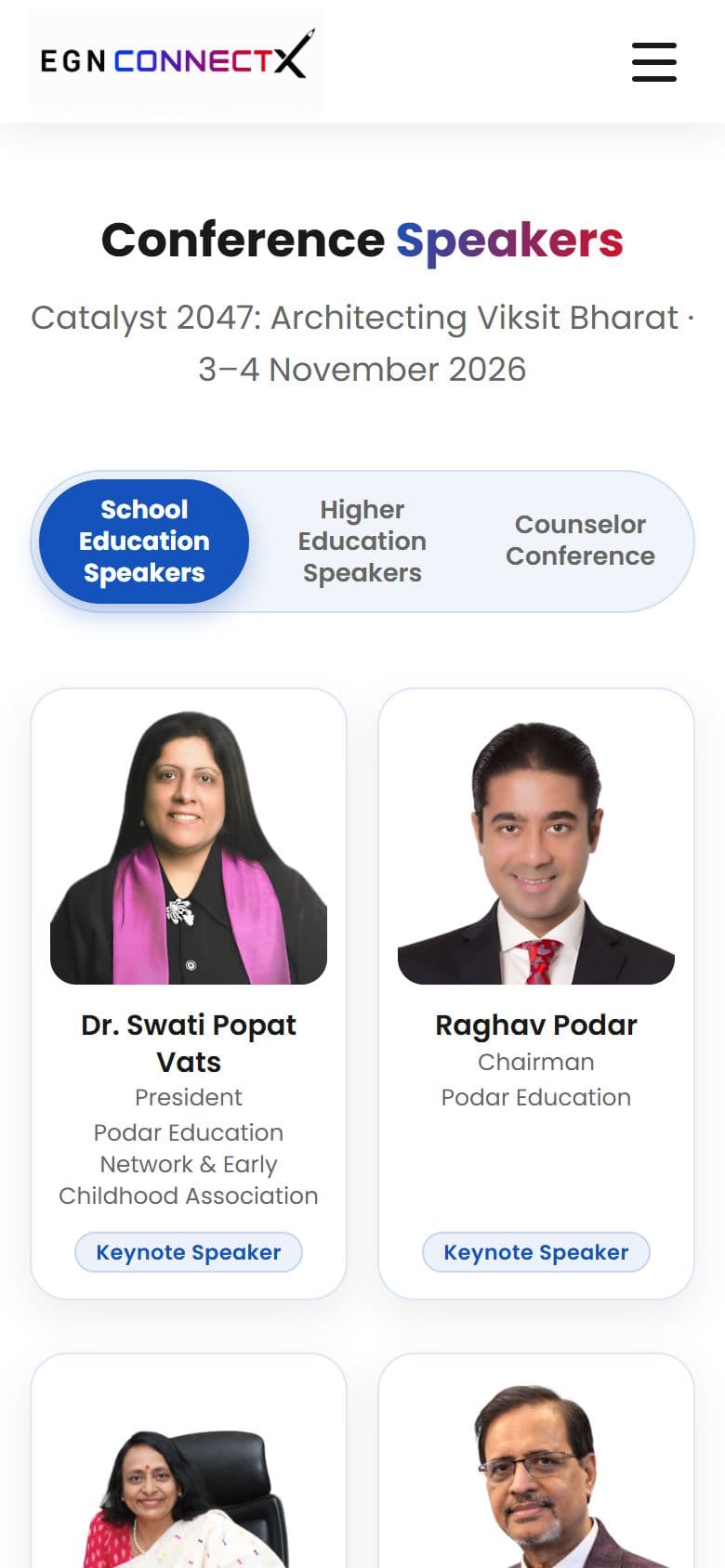
A photo, name, role and organization in an equal-height card, with a “Load more” button so the page starts light. Photos are never cropped.
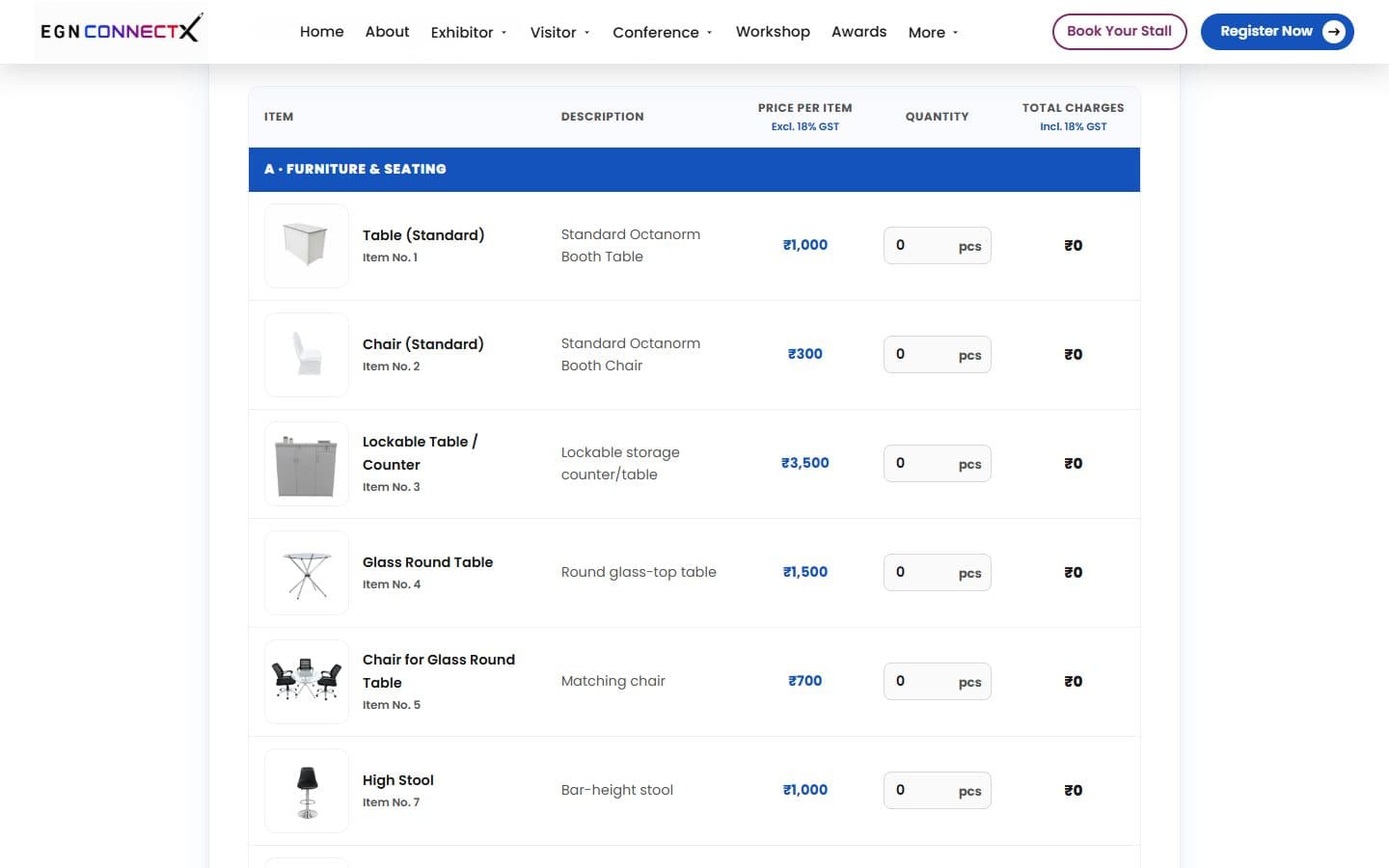
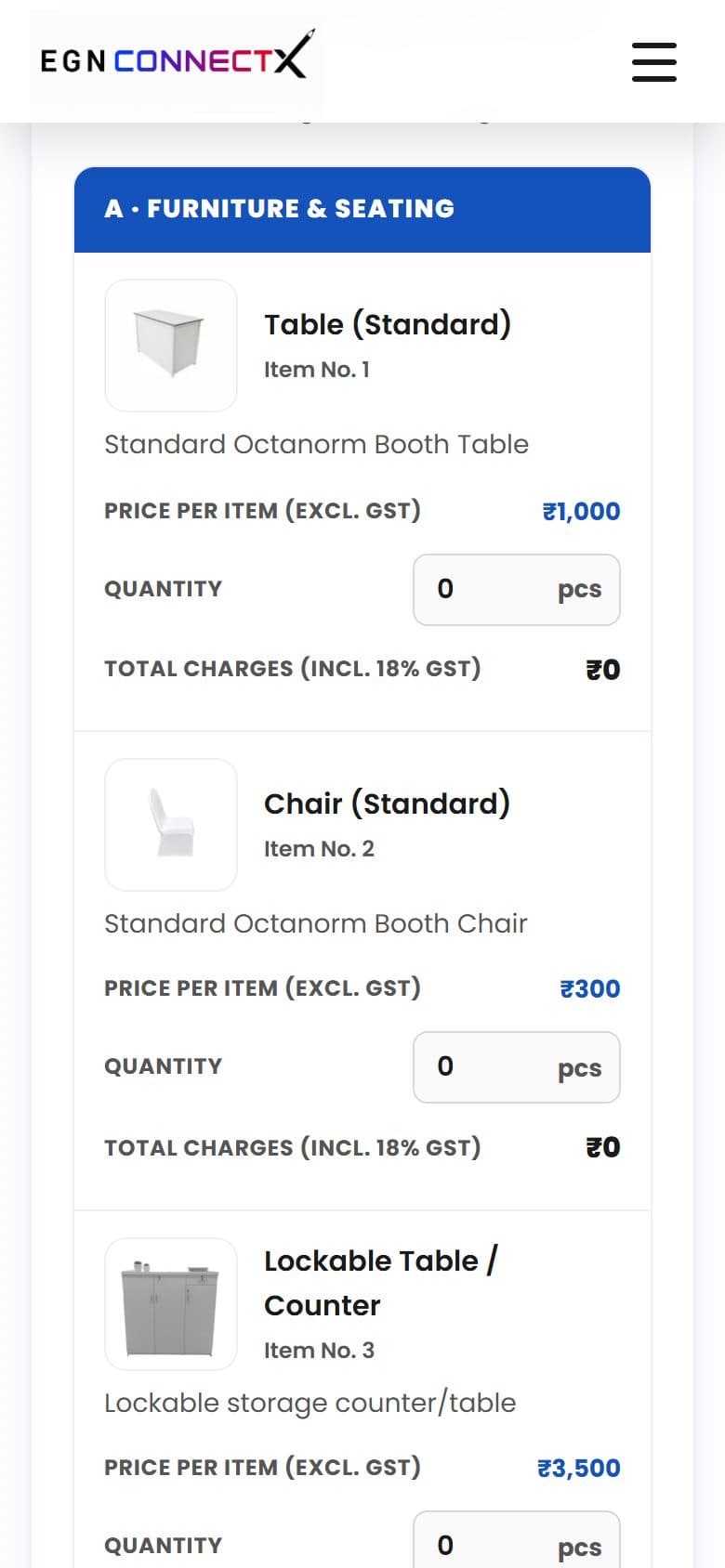
The exhibitor forms show an item photo that enlarges, a price, a quantity box and a live total with 18% GST. Electricity, furniture, AV rental and hospitality share the same design.
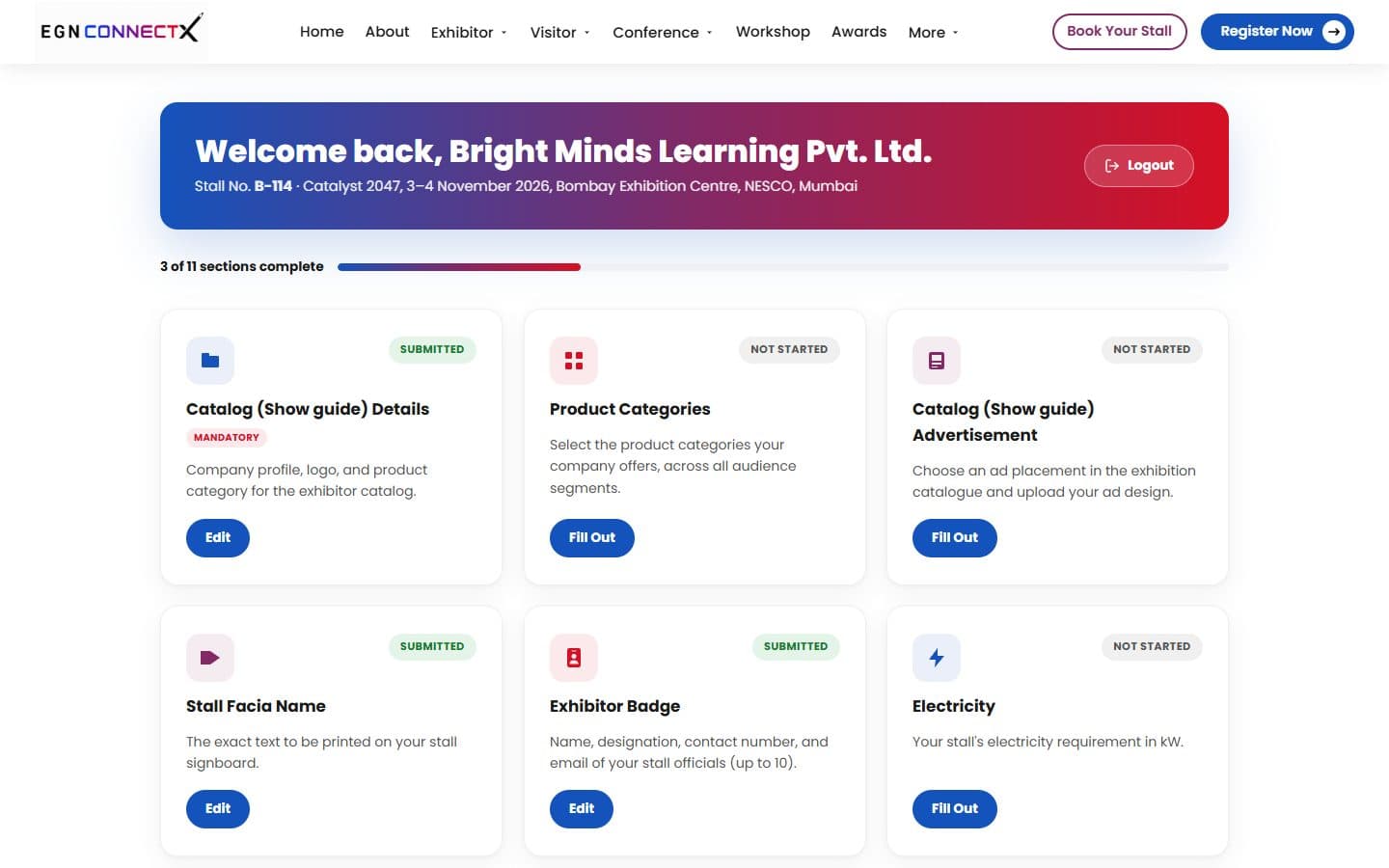
A progress bar and 11 cards, each with a Submitted or Not Started badge. When the Catalog Details gate is on, the other ten show a Locked badge until it is saved. Each form ends in a selection-summary pop-up with a blue “Proceed to Next” button.
A looping, muted Mumbai video, a scroll-driven line of text in a script face, a logo with a date pill, and a board of six chief guests with the lead guest in the middle.
A gradient strip near the end of the page with Register Now and Book Your Stall.
Two things were built twice. The comparison uses the project's own change history, not screenshots of the old versions, which I did not keep.
First versions
Now
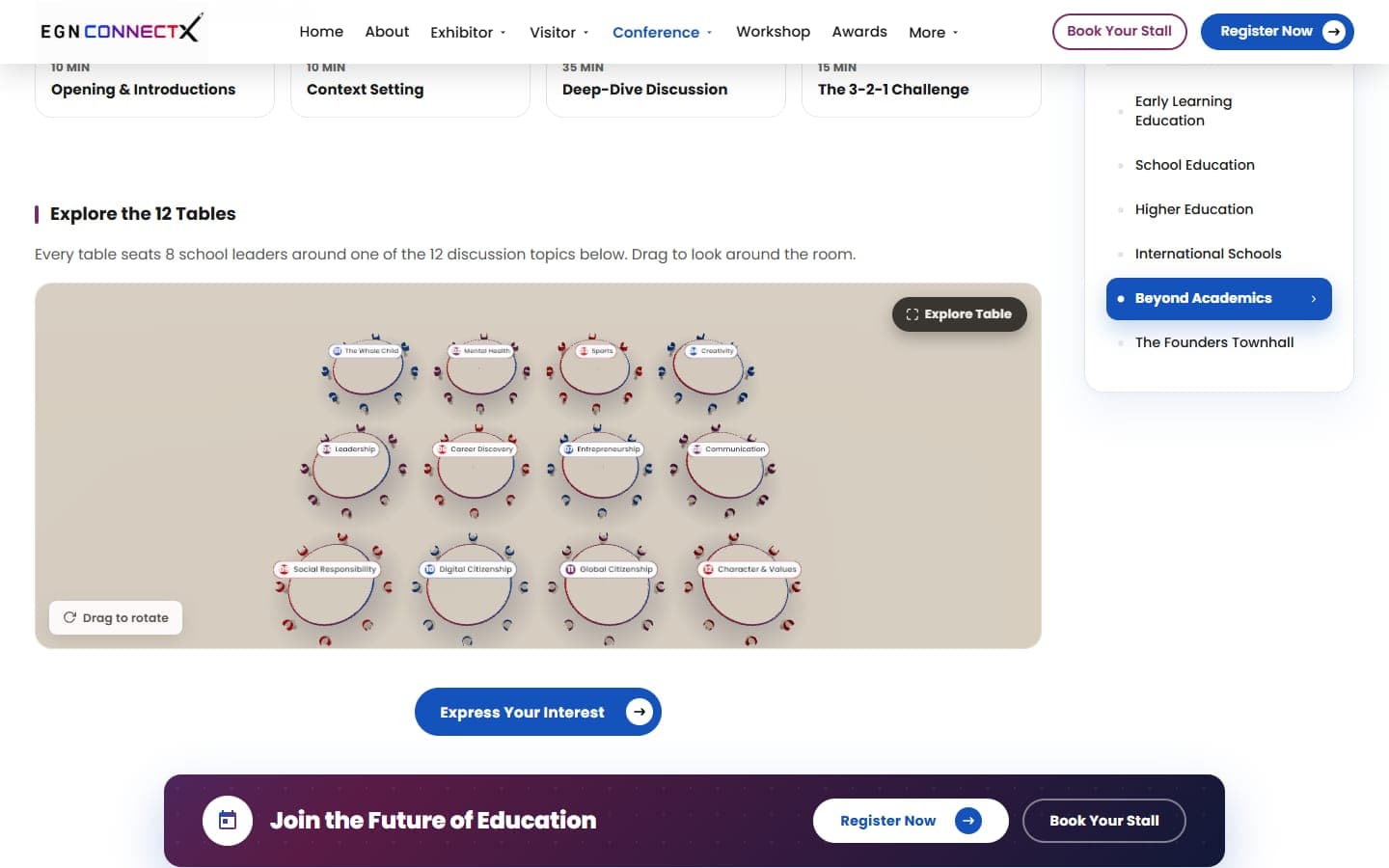
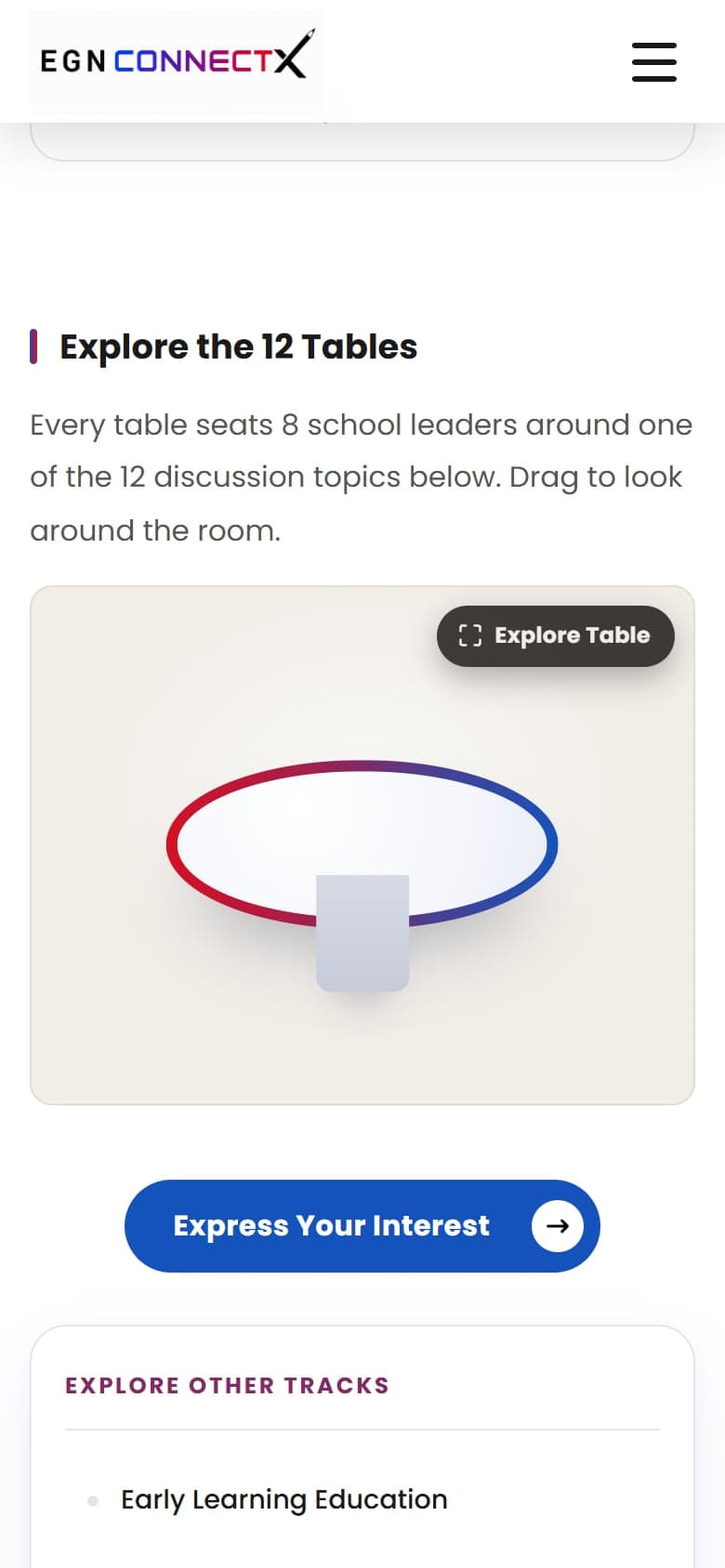
The 3D room replaced the separate page. Every table has its number and topic on a label and eight chairs, the questions sit in the table below it, and you can open it full screen and zoom in.
A file to download
Now
The PDF is still on the Downloads page. The 3D plan sits next to it in the Exhibitor menu as “Explore Floor Plan”.
Three HTML slide decks in the event's brand colors, for the summit, the Founders Townhall and the conference. Click a deck to open all its slides.
Plain PHP, CSS and JavaScript, on purpose, so the company's developer can take the files as they are.
47
pages, each one PHP file
13
exhibitor-area pages
4
header menus, one list each
0
frameworks or build steps on the live site
PHP, hand-written CSS with shared values, and JavaScript, with jQuery 3.4.1 on some pages. The 3D scenes use three.js 0.160.1. Both libraries are stored in the project, not loaded from outside.
Every page is one PHP file with the same header and footer. A shared stylesheet holds anything used by two or more pages, and each page has its own small stylesheet for the rest. There is no framework and no build step.
A login, a dashboard and 11 forms share one script and one stylesheet. The Catalog Details form is meant to come first and unlock the rest. That gate is built and switched off until the server can enforce it for real.
Since 2026-10-13 a page that goes to the company's developer carries its own CSS and JavaScript inside the file, which is the backend team's rule. The workshop page was the first: its stylesheet was folded into the page and the separate file deleted. The live server has also served an old copy of a shared stylesheet (see Problems found along the way).
Real excerpts from the project, copied straight from the files. Each one is here because it shows a decision, not because it is long. Credentials, the payment link and the server developer's code are left out.
The 3D round-table and floor-plan code is much longer than these excerpts. The floor plan alone is about 1,400 lines of readable source.
Two parts of this site are interactive 3D scenes that run in the browser: a room of 12 round tables for the school leaders' discussion, and a floor plan of the whole venue that an exhibitor can search before booking a stall. Neither needs a plug-in, and neither loads a file from another website. The floor planner has its own section near the top of this page; this step covers how both scenes were built.
2
interactive 3D scenes
12
round tables, 8 chairs each
264
stalls on the 3D floor plan
4
conference halls, 2 gates
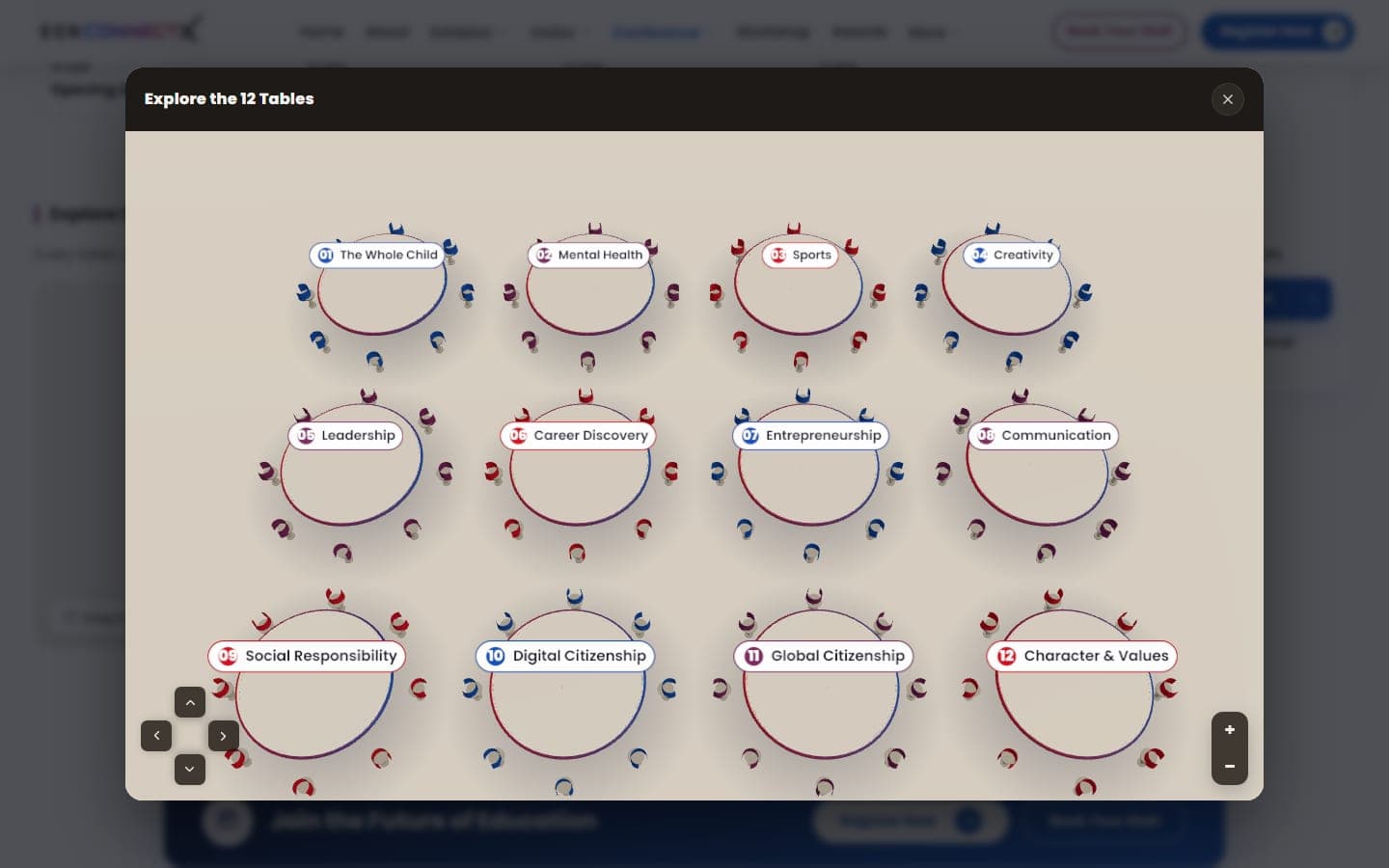
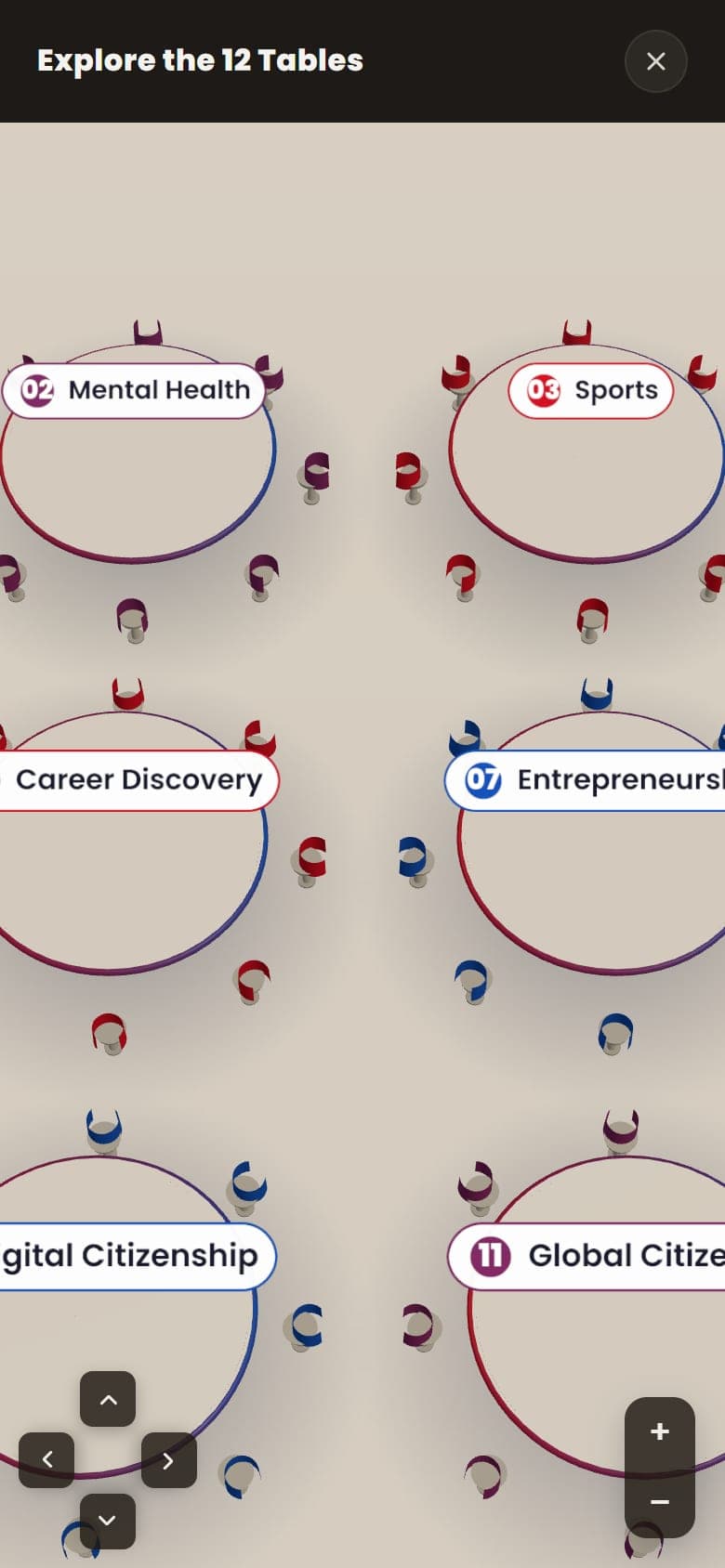
Each of the 12 tables has a number and a topic on a label that always faces you, like a place name on a map, and 8 chairs. The camera stays above the room so nobody can tilt it into a confusing view. “Explore Table” opens a full-screen view with zoom (buttons, scroll wheel, pinch and double-tap) and an arrow pad to move around.
I turned the organizer's flat floor plan into 3D: all 264 stalls in zones A to E plus meeting rooms, from 9 to 54 square meters each, four conference halls, two gates, a coffee lounge, the entrance plaza and four service desks. What visitors can do with it is shown above, in the Interactive 3D Floor Planner section.
Stall positions and sizes come from the organizer's plan. I never moved or invented one. The planner's colors and banners use the brand's blue, purple and red.
The round-table room starts building only when you scroll near it, pauses when it is off screen or the tab is hidden, and on a phone doesn't build at all until you tap “Explore Table”. That took its blocking time from 440 ms to 0 ms. The full-screen view reuses the same scene instead of building a second one.
Both scenes share a warm cream background, the same soft lighting and the same dark button style, so they read as one product even though they live on different pages.
The scenes are written with three.js, and the library is stored on the site itself, so they keep working even if an outside file host is down.
A hero with a looping, muted Mumbai video, a scroll-driven “Hello Mumbai” line and a board of six chief guests, then an animated stats strip, six sector cards, a Conference Speakers section, a “Who should visit” section that becomes a swipe row on phones, 88 past exhibitor logos with a “Load more” button on phones, and the photo gallery.
A registration form for visitors, with a pop-up “Express Your Interest” form available from every page.
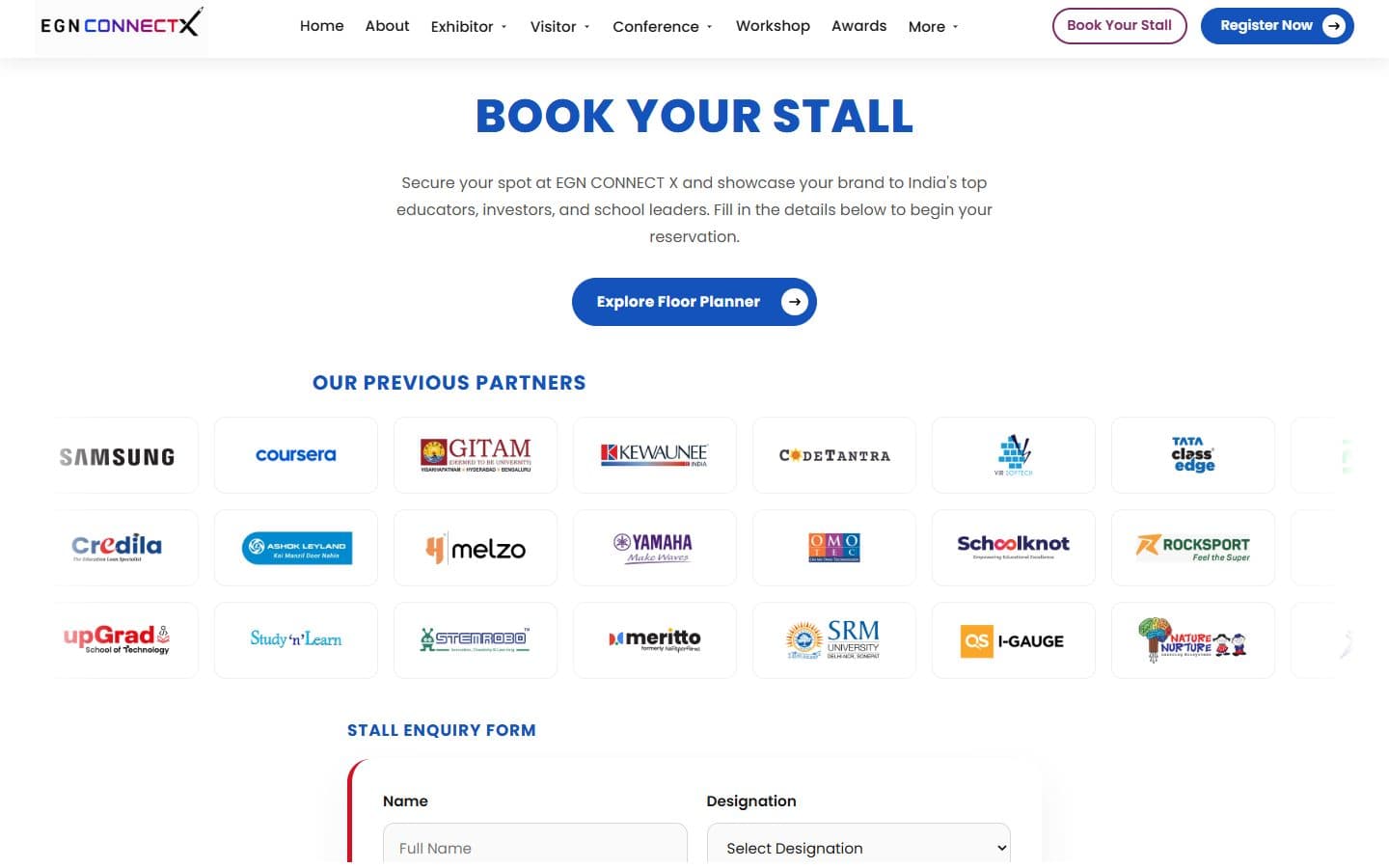
An enquiry form, a scrolling strip of 88 past partner logos, and a button that opens the 3D floor plan so an exhibitor can see where a stall would sit.
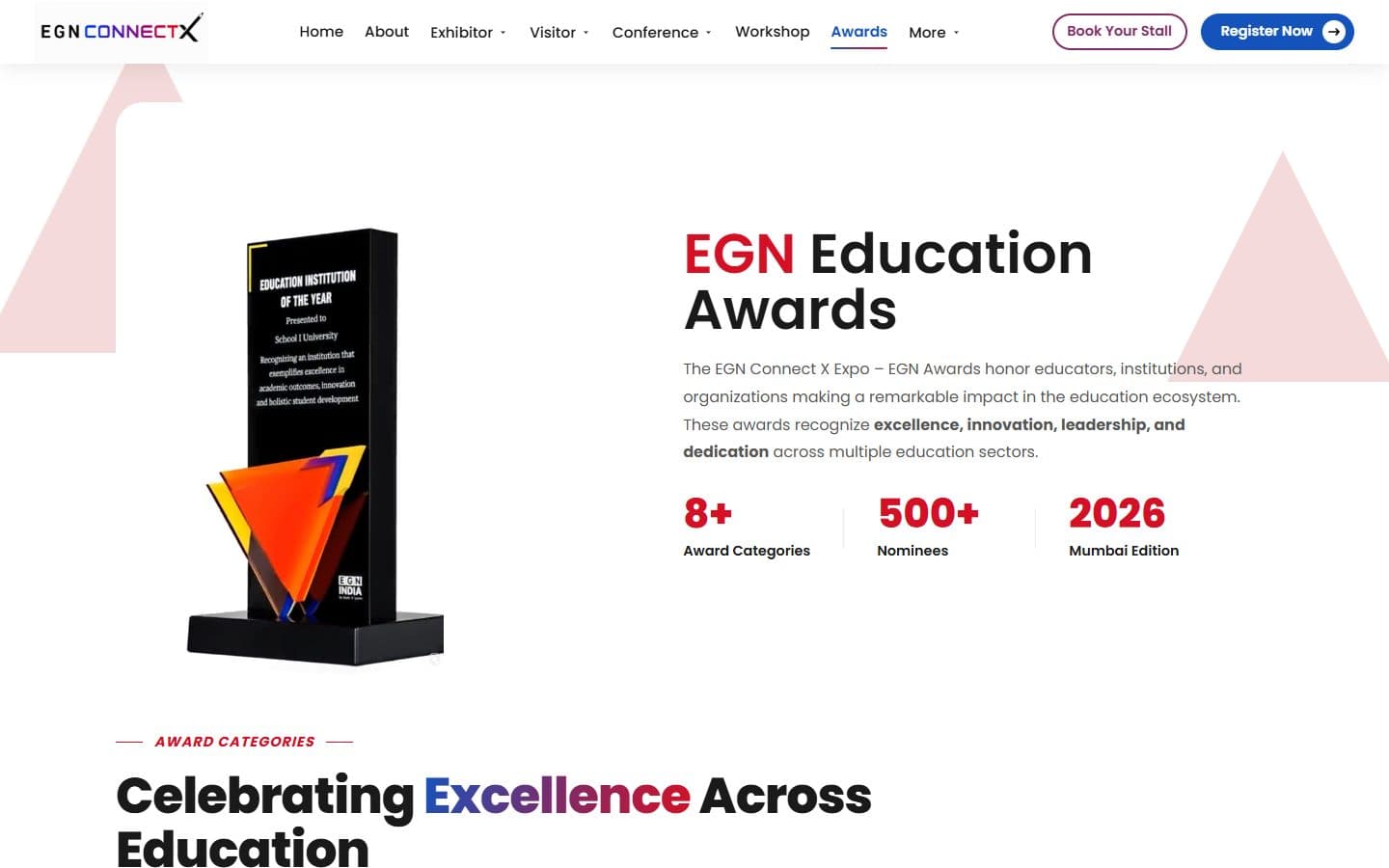
A nomination pop-up for the Education and Corporate awards that prices each tier, adds 18% GST and lets nominees attach several files.
Five tracks with schedules in Day 1 and Day 2 tabs, plus the Founders Townhall page. A speakers page with three tabs: School Education, with keynote speakers pinned first, Higher Education, and a Counselor Conference tab of four cards. The first tab shows 42 cards and a “Load more” button. A round-table guide for school leaders.
A dashboard and 11 forms for stall name, badges, electricity, internet, furniture, fabrication, AV rental, hospitality, product categories and catalog advertising. Each form ends in a selection-summary pop-up with a “Proceed to Next” button, and hospitality is a rate-card table like furniture.
A two-day series of 6 workshops, three on each day, shown side by side. Registration opens in a pop-up (“Ready to Learn by Doing?”) that lists the same 6 titles. A seventh, Design Thinking Challenge, is switched off in the page and in the form.
A page for start-ups: a hero with two buttons, a strip of four numbers and a “Meet Our Investors” section of cards with photos and company logos. It is reached from the More menu and the footer.
27 photos loaded only when the visitor scrolls to them.
An “Express Your Interest” form that opens from any button on any page, and a separate registration form for The Founders Townhall.
A travel desk contact page, a delegate checklist and a visa and customs guide for international guests.
The front end ends where the company's server begins. These are the two places the two meet.
Each batch of changes goes to the company's developer as one zip. On 2026-10-06 it was the V4 package, on 2026-10-13 the home page and the workshop page, and on 2026-10-16 an update of 10 files with the Counselor Conference tab and the keynote order. By 2026-10-20 the new hero, the Counselor tab and the workshop page were on egnconnectx.com. I can't tell from the outside whether every file in every zip was uploaded.
Every form checks its input in the browser and stops there. The awards form works out each nomination tier's price and the 18% GST on the page and then shows the payment link. Nothing is sent or saved yet, because that part belongs to the company's server.
The live server keeps its shared parts in one flat folder, while my project groups them under an inc/ folder. The hand-off folder mirrors the server's flat layout and carries the front-end changes. Wherever his copy of a page holds database or mail code, his file wins byte for byte by default, and large photos and videos travel as separate files, not inside the code.
The speed work, measured on my own machine, and the checks I ran on the package before it went to the company's developer.
Before the hand-off of 2026-10-06 I checked every PHP file in the package for errors and found none. I served the package with stand-in settings, and all 17 pages answered with no PHP warnings. I also checked that every one of the 121 files the package refers to but does not contain still loads from the live domain.
I checked the first version of the home page hero in a headless browser at 1440 × 900, 1366 × 768 and 390 × 844. The video played and looped, the page did not scroll sideways, and the video paused when it was scrolled out of view. That hero has since been replaced by the Mumbai video hero, and I have not repeated this check on it.
Problem
The 3D round table froze phones. Building 12 tables took about 400 ms of work right after the page loaded, even if nobody scrolled to it.
Solution
On a phone the scene no longer builds by itself. “Explore Table” is the tap that starts it, and the build waits one frame so the tap still feels instant. Desktop builds it only when you scroll near.
Result
Blocking time on the page dropped from 440 ms to 0 ms.
Problem
The home page video was 34.6 MB and was the slowest thing on the page.
Solution
I re-encoded it without sound, since it is always muted, and added a poster image. On phones it doesn't load at all until someone taps play.
Result
The file fell to 24.2 MB, and a phone downloads none of it unless asked. That was the first hero; the Mumbai hero that replaced it has not been measured.
Problem
On the review copy, the pop-up video at the bottom left of the home page used the 34 MB hero file.
Solution
I made a 560 px copy for the pop-up, and told the browser to skip drawing the conference and tracks sections of the home page until they scroll into view. This is on egn-connectx.vercel.app, not yet on egnconnectx.com.
Result
The pop-up video is now 2.7 MB, down from 34 MB. I did not measure it with Lighthouse.
Problem
A 702 KB logo was shown in a 158-pixel slot on every page, and the page icon was 79 KB.
Solution
I made a resized copy of each and pointed every page at them.
Result
The logo is 30 KB and the icon 9 KB.
No automated test suite runs today: the browser tests I wrote were deleted when their saved screenshots filled the free GitHub storage (see What I learned). The Lighthouse runs behind these numbers, and their limits, are under Results. The pop-up video change of 2026-10-20 was not measured with Lighthouse.
People look for an education summit by city, year and topic, so the site tells search engines exactly that. The plan had four parts: decide what each page should be found for, say it in the places search engines read, keep the pages that shouldn't be found out of search, and measure from the first day. Then I audited the live site and fixed what the audit found.
43
of 47 pages carry a description, a canonical address and a share preview
30
of 47 pages carry search-engine data (JSON-LD)
13
exhibitor-portal pages kept out of search
179
of 185 images in the home page file load lazily, all but the six chief-guest photos at the top
I wrote a keyword map before touching any page: phrases for the whole site, then one main phrase per page so pages don't compete with each other. They go into titles, descriptions, image text, search-engine data, link text and new body copy. Existing headings are never rewritten to fit a phrase.
The home page describes the event to search engines in a form they can read: name, dates, venue, organizer, ticket offer, official social profiles and last-changed date. The contact pages carry contact details and the About page carries organization details. Every page meant to be found has this data. The 17 pages without it are the 13 hidden portal pages, the photo gallery fragment and three link-only partner forms. The two retired Conference and About Summit addresses are redirects, not pages.
The 13 pages behind the exhibitor login are marked noindex and nofollow, and none is in the sitemap. Otherwise stall forms would compete with the pages that sell the event and waste the time search engines spend on the site.
A Google Analytics 4 tag is on every page through one shared file. It fires only on the real domain, so my own testing never pollutes the numbers. The Google Search Console verification file is live, and robots.txt points search engines at the sitemap.
Google ranks slow pages lower. The targets I held pages to were a largest paint under 2.5 seconds, layout shift under 0.1 and input delay under 100 ms. Images load lazily with their sizes set, and I worked on the heaviest things: a 34.6 MB home page video, an oversized logo and the 3D scene that froze phones. The numbers are in the results section.
The retired About Summit address sends visitors and search engines to Exhibitor Profile, and the old Conference address to the home page, both with a permanent redirect, so the old links keep their value. On the Vercel copy, any address ending in .php redirects to its clean version.
The phrases every title and description leans on, then the main phrase for each key page. These are targets I wrote for the pages, not rankings they have reached.
Home
education leadership summit India 2026
About EGN India
about EGN Connect X education summit
Exhibitor profile
exhibit at education summit India
Conference
Catalyst 2047, Viksit Bharat 2047, India education conference 2026
Early learning
early childhood education summit India
School education
K-12 school education summit India
Higher education
higher education leadership summit India
International schools
international schools summit India
Founders Townhall
school founders townhall India
Market insights
Indian education industry market report
Floor planner
interactive floor plan education exhibition Mumbai
Awards
education awards India 2026 nomination
Book your stall
book exhibition stall education summit Mumbai
Register
register education summit Mumbai 2026
Visitor profile
visit EGN Connect X education summit
Visas and customs
event visa India
Travel desk
Mumbai travel guide for exhibitors
Before the event I checked the live site for technical, page-level and AI-search problems by fetching its pages, then fixed what was wrong in my files. These are the findings that mattered most.
Found
Share previews were broken on about 30 pages. They pointed at an image file that returns a 404 on the live site. A second wrong filename in the organization data would also have failed on Vercel's case-sensitive hosting.
Fix
I batch-fixed every page to the real logo file, including three partner forms that showed a broken logo on the page itself.
Result
No page refers to the missing file any more (0 found when I checked), and the home page declares the image's real size, 2106 × 747.
Found
The home page title ran 74 characters and its description 239, so search results would cut both off.
Fix
I shortened them to 56 and 152 characters and kept the event, the city and the dates in them.
Result
Both sit inside the usual limits of about 60 and 160 characters.
Found
The three pages every header button leads to (Awards, Book Your Stall and Register) had only a title: no description, canonical address, share preview or search-engine data.
Fix
I gave each a full tag block and a sharper title, such as “Book Your Stall | EGN Connect X 2026, Mumbai”.
Result
The pages that turn visitors into sign-ups are described to search engines like the rest of the site.
Found
Two small leaks ran sitewide. The footer's LinkedIn icon linked to the page's admin dashboard, and the icon in every browser tab loaded from the parent company's separate domain on 42 pages.
Fix
The footer now links to the public company page, and the icon is served from the site's own files.
Result
Visitors reach the real LinkedIn page, and the icon no longer depends on another website.
Found
The home page's organization data had no social profiles and no dates, so search engines couldn't tie the event to its official accounts or see when it last changed.
Fix
I added the four official profiles (Facebook, Instagram, LinkedIn and X) and the published and modified dates.
Result
The event is linked to its official profiles in a form search engines read.
No search or traffic numbers are shown, because I don't have any I can stand behind. Open gaps: the sitemap file lists only 11 pages, so the conference speakers, track, workshop and travel pages should be added; 22 of the 43 page descriptions run past the 160-character target; the six conference track pages still need a proper heading hierarchy; and the three partner forms have no copy of their own, so they shouldn't be expected to rank. Server-side items such as forcing HTTPS and security headers sit with the company's server developer.
The real domain runs on the company's own server, which I can't push to. A copy on Vercel exists for review and testing, and a hand-off folder carries the finished changes to the real server.
The real domain runs on the company's own server. A test copy runs on Vercel: a script renders every PHP page to a plain page, 47 in all, and Vercel serves those. I hand the company's developer a folder that mirrors his server's layout, with the front-end changes in it.
egnconnectx.com runs what the company's developer has uploaded. egn-connectx.vercel.app is the review copy and is ahead of it. As of 2026-10-20, the phone layout of the home hero, the smaller pop-up video and two-day billing (the forms show a price per day and total it for the two event days, plus 18% GST) in the furniture, AV rental and hospitality forms exist only on the review copy.
Vercel runs no PHP for this project. Only the exported folder is uploaded; the source pages, the project notes and the hand-off folder are kept out. Nothing rebuilds the export automatically, so it has to be run again before every deploy, or the copy keeps serving old content.
Problem
On the Vercel copy, every link in the site returned an error, because Vercel refuses any address ending in .php.
Solution
I added one redirect rule that sends any .php address to its clean version, with the two About Summit addresses listed ahead of it.
Result
Every menu and button link works again.
Problem
The home page photo gallery silently never appeared on the Vercel copy.
Solution
The page fetched a .php file that didn't exist there. I rendered it as a plain page and let the same redirect rule find it.
Result
The gallery loads. This bug shipped once before I found it.
Problem
A hand edit to the packed 3D floor-plan file could silently corrupt the whole page, and full-screen mode hid its own exit button.
Solution
I keep the readable source separately and pack it with a script that protects a tricky closing tag. Full screen now covers the wrapper around the plan, so the buttons stay in view.
Result
The floor plan changes safely, and Enter and Exit Virtual Space both work.
Problem
On the Vercel copy the analytics tag was missing from every page, because the export script ran without a host name and the tag only loads on the real domain.
Solution
The script now sets the production host name for each page it renders.
Result
Every exported page carries the tag, and local testing still stays out of the real numbers.
Problem
Error and success boxes in the exhibitor forms showed as empty bars even when they were meant to be hidden.
Solution
A class that set the box to show had the same strength as the browser's own rule for hidden boxes, and the class won. I added an explicit rule that hides them.
Result
Hidden boxes stay hidden.
Problem
Merging to the main branch on GitHub replaced the working Vercel site with a build that returned 404 on every page, because the export folder is not stored in git.
Solution
I re-ran the export and deployed it again, and the project notes now say to do this after every merge to main.
Result
The working site was restored. A permanent fix, such as turning off automatic production deploys, is still undecided.
Problem
Two problems on the Founders Townhall page. It and its pop-up still used the word “school”. And on 2026-10-13 its schedule table looked wrong on a phone on the live domain, though the file was right.
Solution
I took the word out of the page and its pop-up on 2026-10-05. The table's file was already correct, so the live server's old cached stylesheet has to be cleared on its side.
Result
The word is gone in the files. The phone table is waiting on that cache clear, and I have not confirmed it is done.
Problem
On 2026-10-13 I audited the live exhibitor area. Login worked, but the server held a 22 KB copy of the shared portal stylesheet against the project's 46 KB, so the Exhibitor Badge page and six rate forms showed unstyled.
Solution
I built a zip with that one CSS file and a short note for the company's developer.
Result
The zip was built, not confirmed uploaded.
Problem
The workshop page and its registration form must list the same workshops, and the Design Thinking Challenge (workshop 03) is not being offered.
Solution
Workshop 03 is switched off in the table and in the registration form, so six are shown and offered.
Result
The page and the form both list the same 6 workshops, on the files and on the live site.
See the Design Lifecycle: how the experience was structured, the visual direction and the final screens.
The home page is the live site. The 3D floor planner is shown near the top of this page, and the round-table room on the Development tab, under “Building the 3D round table and floor planner”.
Round-table blocking time
0 ms
Was 440 ms
Home page video
24.2 MB
Was 34.6 MB
Header logo
30 KB
Was 702 KB
Page icon
9 KB
Was 79 KB
These come from mobile Lighthouse runs and file sizes on my own machine, in September 2026. Lighthouse varied a lot between runs of the same code (home page score 77 to 88), so blocking time, which stayed near 0, is the number I trust. The home page video figures are for the first hero, which has since been replaced. I have not run PageSpeed on the live site.
There are no registration, booking or traffic numbers yet, because the event is still to come and no analytics data was connected to my work. The 20,000+ visitors is the organizer's expected crowd, not a result. The forms don't submit yet: that wiring belongs to the company's server.
iPhone

Tablet
Android
A smart classroom website: smart boards from 55 to 98 inches, AI teaching software and a national Olympiad. I built 21 pages on one design and cut the video and photo weight by about half.
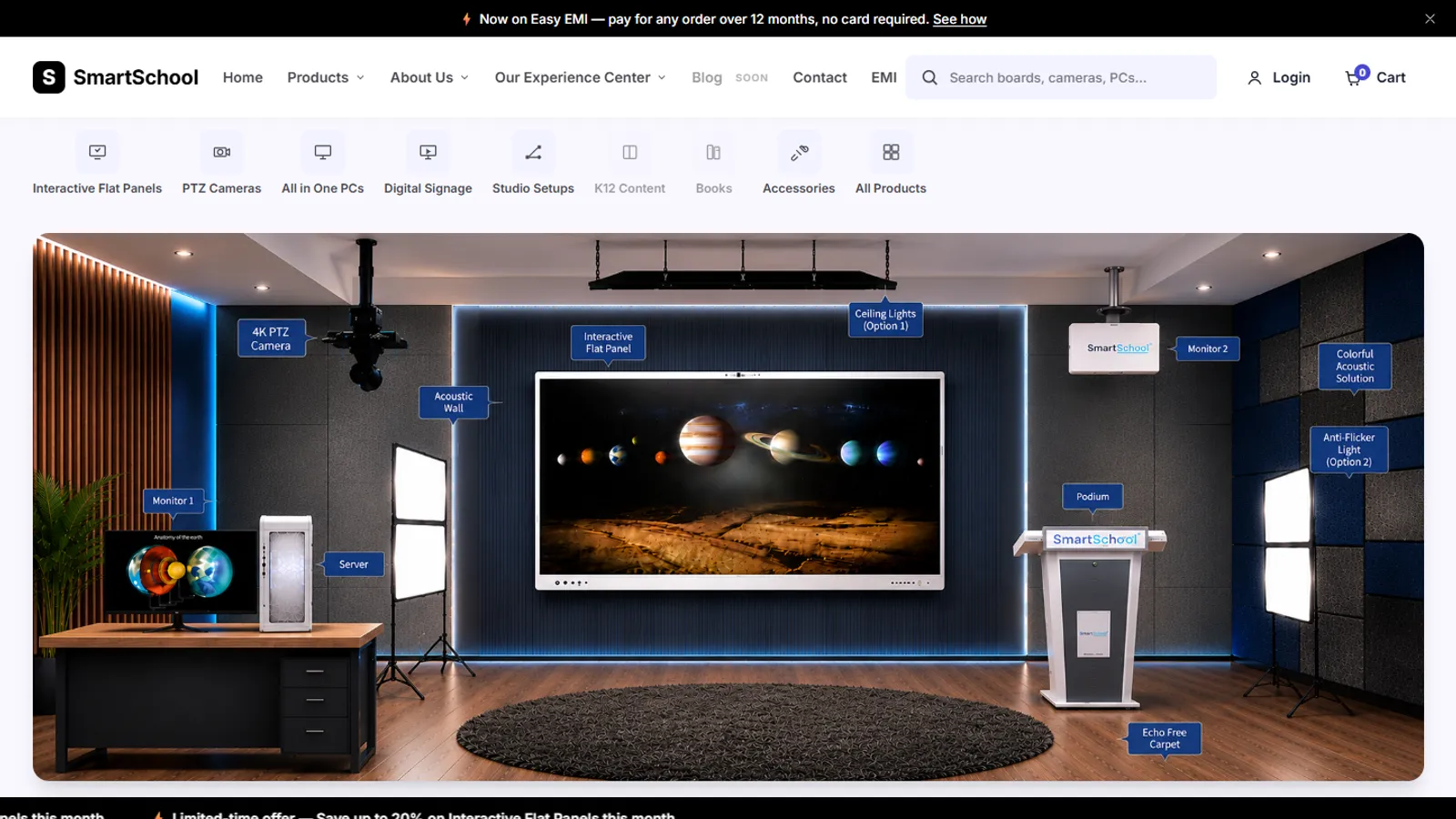
An online store for classroom equipment, built without a framework: 34 products, filters, a cart, checkout and a demo account.
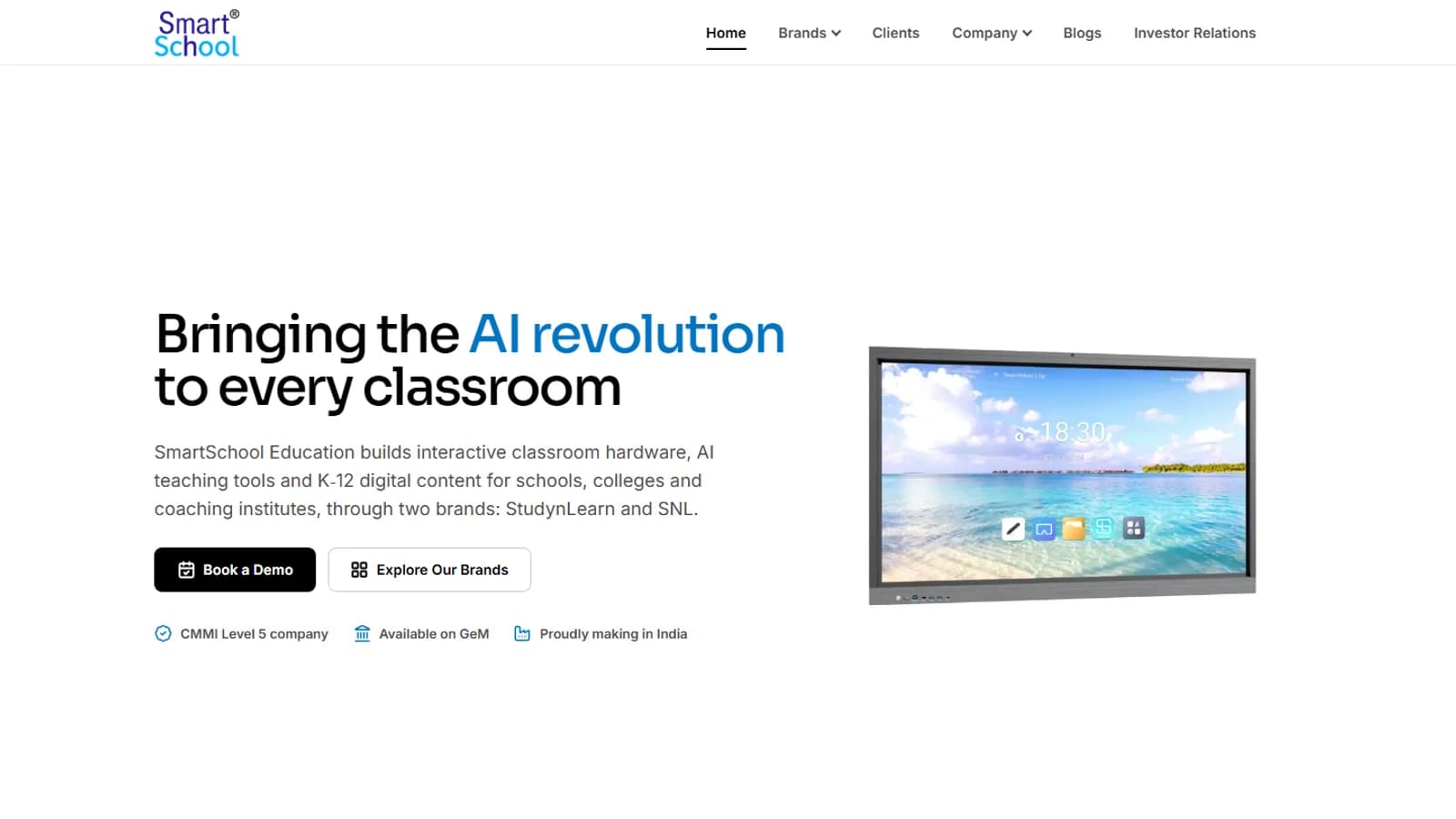
The corporate website of SmartSchool Education, an Indian EdTech company: a V2 redesign with a new homepage, brand pages, an investor relations page and a newsroom of 60 stories.